
決定版
Minecraft クリエイティブスタジオ
コマンド、建築、リソースパック、ワールド探索のための実用的なツール。アカウントもインストールも不要で、ブラウザで使えるMinecraftユーティリティに特化しています。
注目のツール

スキンスタジオ3D
プロフェッショナルツールとリアルタイムプレビューでMinecraftスキンを作成・編集。
スタジオを開く →
シードマップビューア
究極のインタラクティブワールドビューア。任意のシードで構造物、バイオーム、秘密を見つけられます。
スタジオを開く →
/give 生成ツール
Minecraftカスタマイズの要。1.21+のデータコンポーネントで強力なアイテムを作成。
スタジオを開く →新着
Earth Map Generator
Turn any real place on Earth into a playable Minecraft Java world. Streets, buildings, and terrain in your browser.
スタジオを開く →Featured Mod Guides
View All Mods →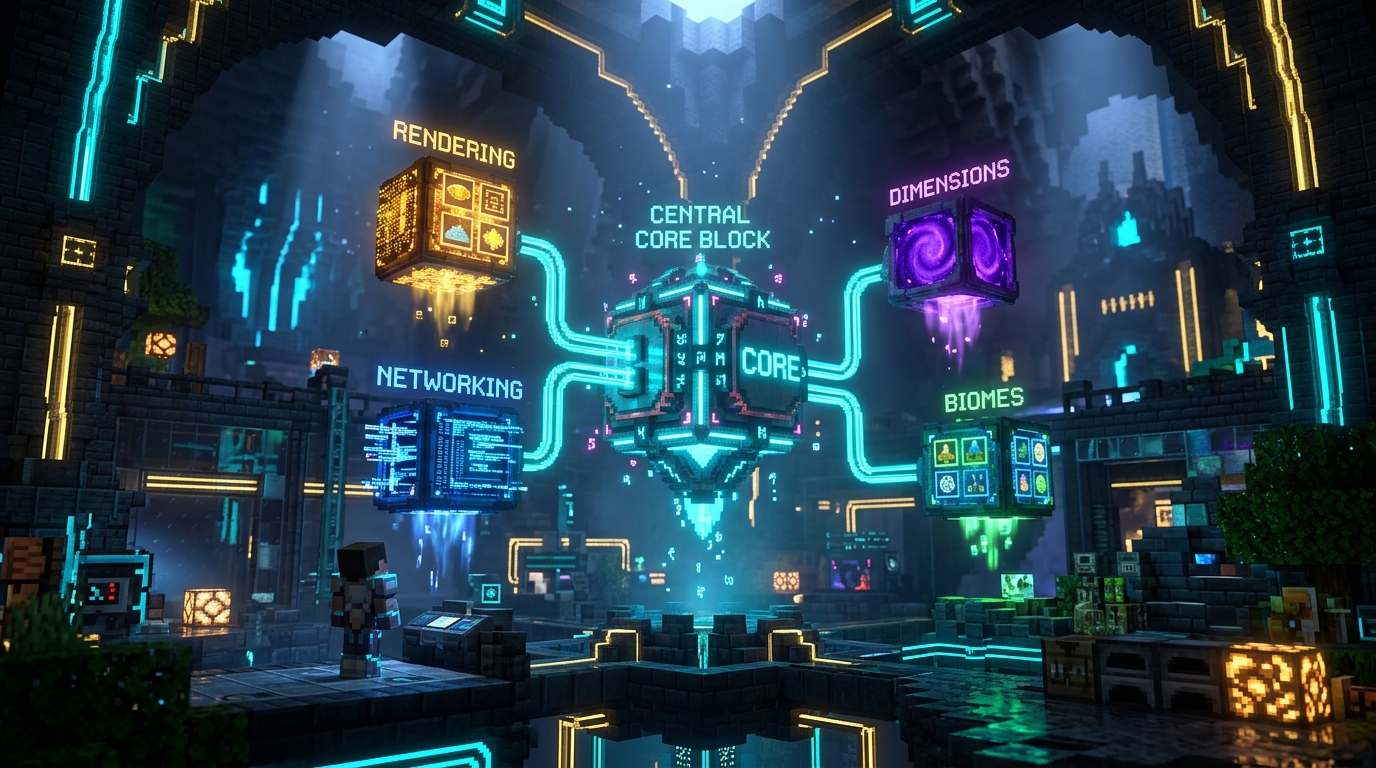
Fabric API
Fabric API is the essential hook and library mod required by nearly every Fabric gameplay mod. Dropped directly into your mods folder as a .jar, it bridges the gap between the lightweight Fabric Loader and Minecraft game engine, providing standard interfaces for custom block rendering, server-client networking packets, dimension registry, and entity lifecycle events.
Fabric Loader
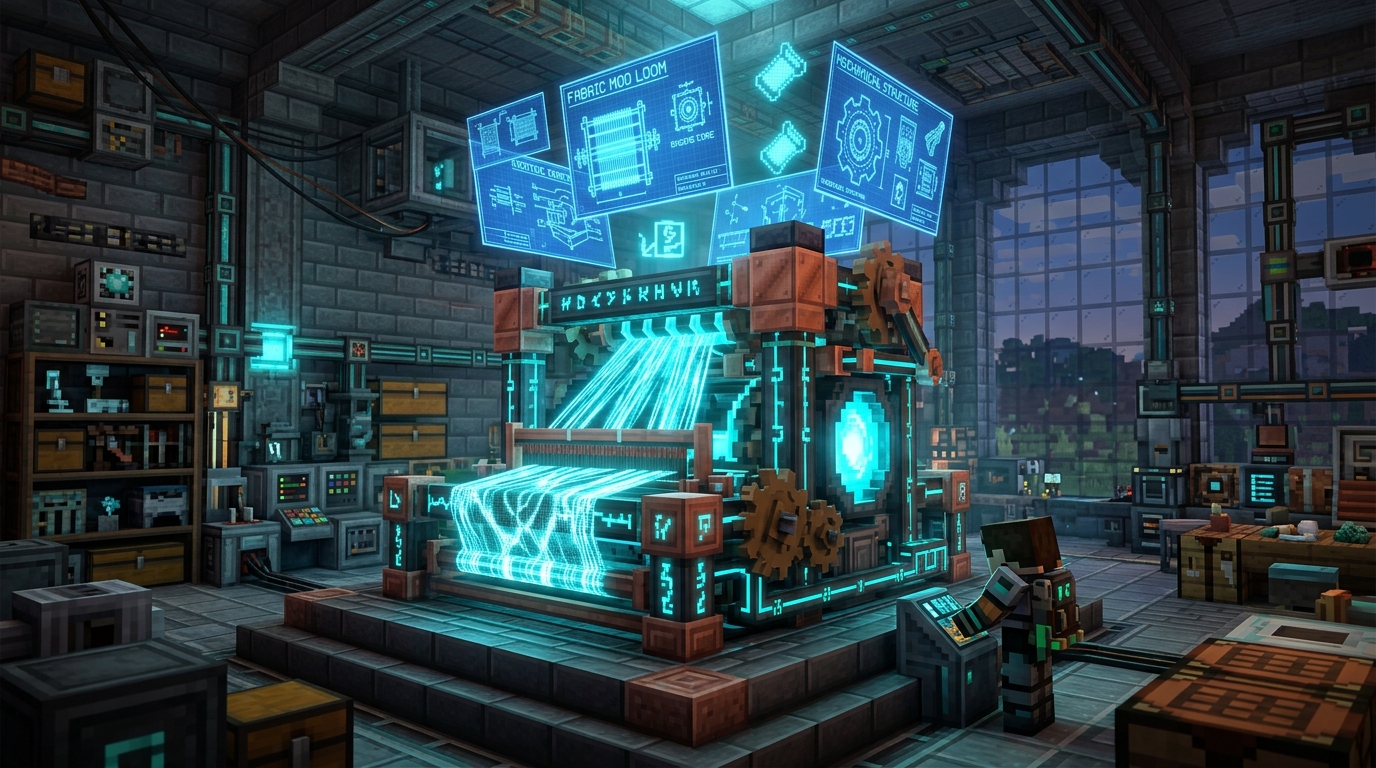
Fabric Loader is the ultra-lightweight, modular mod loading engine for Minecraft Java Edition. Unlike traditional heavy loaders, Fabric boots in milliseconds, boasts minimal RAM footprint, and utilizes the SpongePowered Mixin bytecode transformation engine. It is version-agnostic and provides instant snapshot compatibility.
Just Enough Items (JEI)
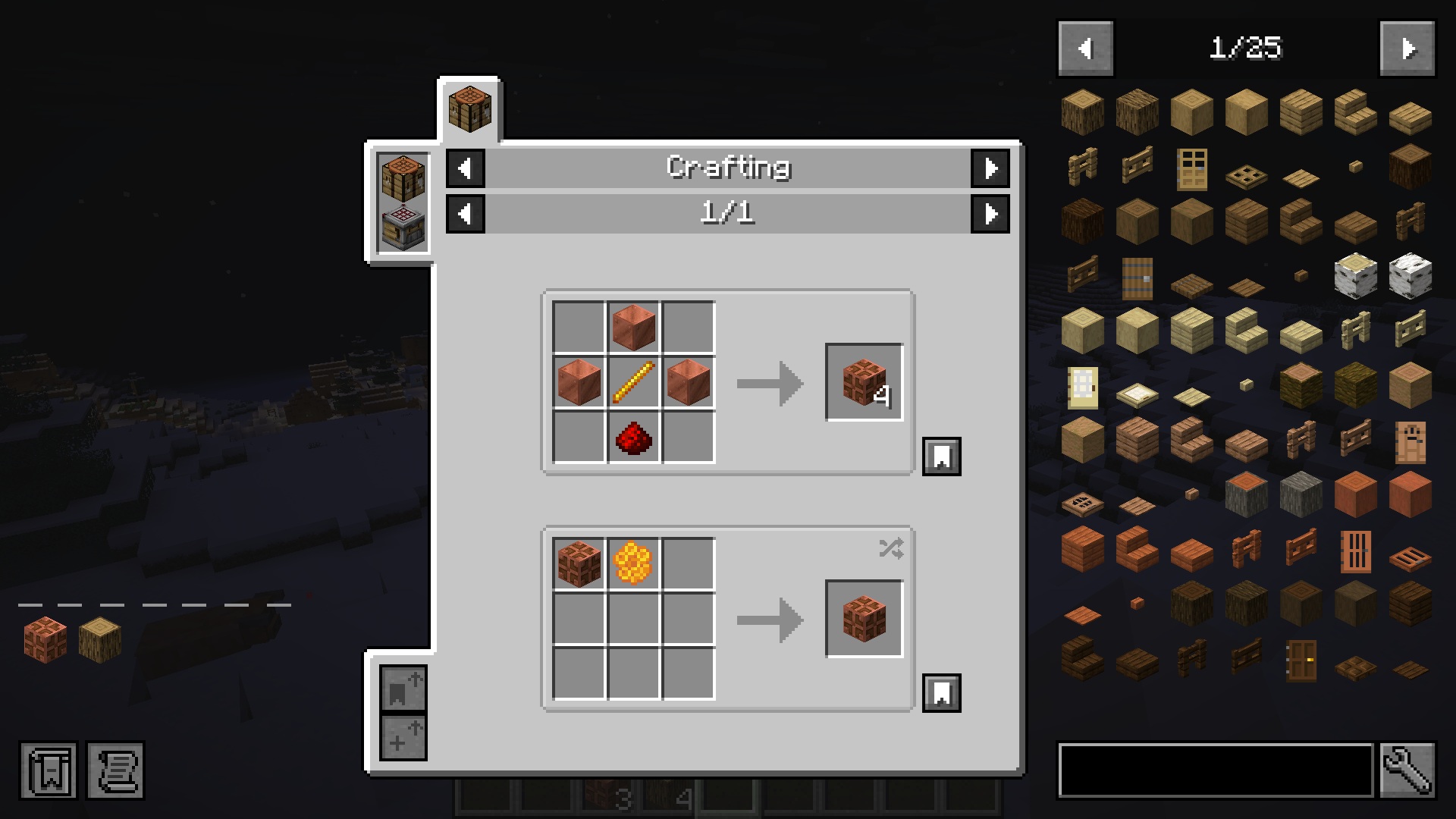
Just Enough Items (JEI) is the essential recipe browser and item catalog for Minecraft Java Edition. It gives you instant access to every crafting, smelting, brewing, and machine recipe in your world without ever needing to open an external wiki. Search through thousands of items with advanced prefix filters, pin recipes with bookmarks, and auto-transfer ingredients into crafting tables with a single click.
Age of Dragons
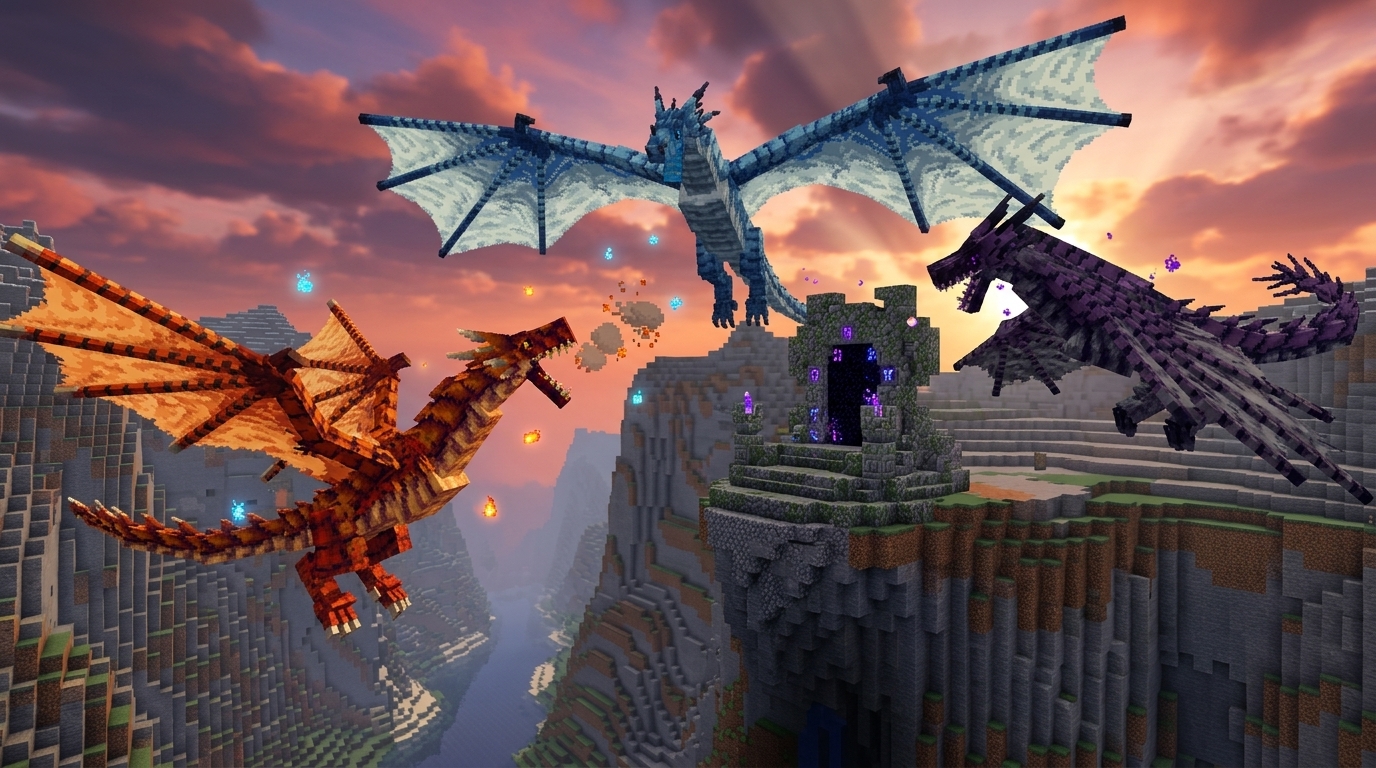
Age of Dragons is a dark fantasy progression mod: elemental dragons, machines, summoning altars, and boss gates. You build the Extracting Machine, Research Table, and Purifier, summon Common dragons for scales and blood, then push through two boss gates to Uncommon and Rare content. Six elements (Earth, Fire, Water, Wind, Ice, Lightning) feed Elemental Ingots, and the endgame chases Singularity weapons that never break. NeoForge 1.21.1. Photon, Curios, and JEI are optional.
スキンスタジオ
スキンスタジオ
ブラウザで最も高度な3Dスキンエディター

スキンビューア&ダウンロード
Javaユーザー名を検索し、スキンをプレビューしてPNGをダウンロード

プレイヤーヘッド
Minecraftのプレイヤーヘッドとカスタムヘッドコマンドを生成

カスタムトーテム
Minecraftスキンを不死のトーテムリソースパックに変換

ケープパックビルダー
スキンとケープを組み合わせて、個人用のBedrock .mcpackをエクスポート
ケープエディター
3DのMinecraftキャラクターに直接ケープとエリトラのテクスチャを描く

アーマートリムビューアー
防具の装飾を3Dでプレビューし、対応する/giveコマンドをコピー

ペーパークラフトジェネレーター
ユーザー名またはスキンPNGを印刷可能なキャラクターテンプレートに変換

Avatar Maker
Design a Minecraft-style avatar from a skin or username
高度なコマンド
/give 生成ツール
1.21.x データコンポーネントで精密アイテムを作成

/summon Entity
カスタム属性を持つ複雑なモブをデザイン

/waypoint Generator
Control Java Locator Bar marker colors, styles, and transmitters

/teleport Generator
Move entities to coordinates, dimensions, or another entity with precise facing

/damage Generator
Apply version-aware damage types with source, cause, and location context
/rotate Generator
Set yaw and pitch or make entities face coordinates and other entities

ボスバージェネレーター
ライブプレビューと視覚的なターゲットセレクターでカスタムボスバーを作成

Mobスポナー
カスタムスポナーブロック用の/setblockおよび/giveコマンドを生成

エフェクト/ポーション
任意のエンティティに長時間持続するポーション効果を生成

パーティクルエンジン
マップ用のパーティクルエミッターを視覚化して生成

/fillジェネレーター
replace、hollow、outline、destroy、keep、strict、フィルターで直方体領域を埋める
/setblockジェネレーター
状態、NBT、destroy/keep/replace/strictモードで1つのブロックを配置

/scoreboardジェネレーター
オブジェクティブ、setdisplay、players set/add、スコア操作

/itemジェネレーター
エンティティとブロックのインベントリスロット内のアイテムを置換または変更

/playsoundジェネレーター
ソース、ターゲット、音量、ピッチ付きのサウンドイベント

/teamジェネレーター
チームを作成し、色、衝突、プレフィックスを変更

NBTからコンポーネントへ
レガシーアイテムNBTと古い/giveコマンドを現在のJavaリリース用に変換

Potion Command Generator
Build /effect and /give potion commands with effects, amplifiers, and durations
/gamemode Generator
Switch survival, creative, adventure, and spectator modes for any target
/execute Command Builder
Compose advanced /execute chains with as, at, if, unless, and run
クリエイティブ建築

バナースタジオ
16層のバナーと盾デザイナー

カスタム絵画
画像をJavaまたはBedrockの絵画リソースパックに変換

ミュージックディスクメーカー
バニラのジュークボックスディスクを自分のオーディオに置き換え、JavaまたはBedrockパックをエクスポート

花火デザイナー
物理演算でカスタムロケットをシミュレート&クラフト
アーマースタンドのポーズ
高度な関節操作とスケルトンポーズ

作業台
170以上のレシピを閲覧し、必要なすべての原材料を自動計算

素材計算機
Litematicaの建築データを読み込み、必要な原材料をすべて計算

Schematic Converter
Convert Litematica, WorldEdit, Axiom, Java NBT, and Bedrock structures

Minecraftブロックパレット
ブロックの色を合わせ、パレットを構築し、マテリアルコンビネーションをエクスポート
Minecraftポーション表
すべての醸造レシピ、修飾子、持続時間、エディションの違いを検索

スタック計算機
アイテムをスタック、チェスト、シュルカーボックスに変換

XP計算機
Minecraftのレベル、生のXP、エンチャントコストを変換
Mob XP計算機
モブのドロップを調べ、1時間あたりのファームXPを推定
Spear Damage Calculator
Simulate charge, Lunge, armor, and one-shot speed

村人の取引
職業のオファーを検索し、カスタム村人の交易コマンドを作成

エンチャント計算機
完璧な装備のための金床コストと経験値を最適化

マニフェストジェネレーター
UUIDとパックメタデータを含むBedrockのmanifest.jsonファイルを作成

pack.mcmeta ジェネレーター
1.21および26.x形式のJavaリソースパックメタデータ
データパックスタジオ
関数、ロードタグ、zipダウンロード付きの完全なJavaデータパックを構築
レシピ生成器
成形あり・なしのJavaデータパックレシピJSONを作成
ルートテーブルジェネレーター
アイテムプール、カウント、ランダムドロップ条件を構築

進捗ジェネレーター
カスタム進捗表示と条件JSONを生成
実績メーカー
Minecraft風の実績PNGをデザインしてダウンロード
ブロックモデルジェネレーター
JavaリソースパックのブロックモデルJSONを作成
フォントJSONジェネレーター
リソースパック用のビットマップフォントプロバイダーファイルを構築

画像からピクセルアートへ
画像をブロックに量子化し、建築コマンドをエクスポート
画像からマップアートへ
Convert images into installable Java map .dat files
Map Art Builder
Create block blueprints, material lists, and Java Structure NBT

Map Art Extractor
Recover PNG images and metadata from Java map .dat files
ランクバッジメーカー
Minecraftサーバーランク用の透明PNGバッジを作成
ランダム戦利品
重み付きプールを構築し、チェストロールをシミュレート

カスタムモブバリアントビルダー
Javaモブバリアントを構築し、データパックとリソースパックのZIPをエクスポート

パックコンバーター
ブラウザでJavaおよびBedrockのリソースパックを変換
Bedrockパックドクター
.mcaddon と .mcpack のマニフェスト、UUID、JSON、スクリプト、テクスチャ、依存関係を検証します
パックマージャー
複数のMinecraftリソースパックをマージして並べ替え
MRPack → ZIP
Modrinth .mrpack のModpackを標準ZIPファイルに即座に変換
ZIP → MRPack
CurseForgeのModpack ZIPエクスポートをModrinthの.mrpackファイルに変換

HUD Customizer
Customize the in-game HUD with new textures and layouts

Emoji Pack Maker
Turn emoji and icons into a Minecraft resource pack font
リッチテキストと色

MiniMessageデザイナー
チャットとメッセージのためのモダンなMinecraft書式設定ハブ

MOTDクリエイター
プレビュー付きサーバーリスト説明文ジェネレーター
テクスチャメーカー
カラーパレットとピクセルデザインスタジオ
JSONテキストハブ
書式付きのtellraw、タイトル、MOTDを構築

グラデーション作成ツール
チャットや看板用のスムーズなRGBフェードテキストをデザイン

パレットとコード
チャットの色と書式設定の必須リファレンス
本エディター
複数ページの本を書き、written_bookコマンドを生成する
看板ジェネレーター
最新のNBTで看板の表と裏のテキストをデザイン
タイトルとサブタイトル
Java版とBedrock版のタイトル、サブタイトル、アクションバーコマンドをプレビュー
ワールド探索
Minecraftシードマップ
構造物とバイオームのインタラクティブワールドビューア
Earth Map Generator
Turn a real place on Earth into a Minecraft Java world
Minecraft構造物
構造物を検索し、バージョンに合った/locateコマンドをコピー

ポータルリンカー
Overworld and Nether coords, portal pairs, chunks and region files
球体ジェネレーター
完璧な1:1スケールのブロック球体とドームをデザイン
円ジェネレーター
ピクセルパーフェクトな円と楕円の設計図を作成

雰囲気コントロール
昼夜サイクルと天候のクイックコマンド

レッドストーンの遅延
回路の遅延をティックと秒で計算

要塞三角測量ツール
2回のエンダーアイ投擲から要塞を探す

鉱石の分布
26.x とクラシックワールドの鉱石の Y レベルを比較します

Mining Speed Calculator
Calculate block mining time for any tool, enchantment, and effect
Item ID List
Browse every Minecraft item with namespace, numeric, and legacy IDs

Beacon Calculator
Plan beacon pyramid tiers, ranges, durations, and material costs

Raid Planner
See every raid wave, raider count, and HP by difficulty and omen

Horse Breeding
Predict foal jump, speed and health, then copy a /summon
サーバーとファイル
plugin.yml ジェネレーター
SpigotおよびPaperのplugin.ymlをコマンドと権限付きで生成
BungeeCord設定
BungeeCordプロキシ用のスターターconfig.ymlを作成
スクリプト生成を開始
RAMとJVMフラグ付きのstart.batとstart.shをダウンロード
eula.txt ジェネレーター
Mojang EULA条項に同意した後にeula.txtを生成
Whitelist.json
プレイヤー名のリストからwhitelist.jsonを構築
サーバーアイコン
マルチプレイ用に画像を64x64のserver-icon.pngに切り抜く
RAM計算機
プレイヤー、プラグイン、視認距離のヒープサイズを推定
ライブサーバー情報
公開Javaサーバーのステータス、MOTD、プレイヤー数を確認
Management API Explorer
Explore Minecraft server management API endpoints and payloads

Level.dat Editor
Inspect and edit level.dat world metadata and game rules
MC Toolboxの構成方法
クリエイター、サーバー運営者、サバイバルプレイヤーのための実用的なMinecraftツールボックス
MC Toolboxは、プレイヤーが実際に繰り返す作業(コマンドの作成、ビジュアルのテスト、建築の計画、リソースパックの変換、アップデート後のゲームデータの確認)を中心に構築されています。以下の各セクションは、一般的なランディングページではなく、実際のツールグループにリンクしているため、調査から作成まで素早く移行できます。
コマンドジェネレーター
すべてのコンポーネント名、括弧、エスケープルールを覚えなくても、有効なMinecraft JavaおよびBedrockコマンドを構築できます。コマンドツールは、カスタムアイテム、エンティティ、スポナー、エフェクト、パーティクル、アーマースタンド、フォーマットされたJSONテキストをカバーしています。
ツールを探索スキンとキャラクターツール
スキンを編集し、アーマートリムをプレビューし、印刷可能なペーパークラフトテンプレートを生成し、ダウンロードやコマンドのコピー前にキャラクターの見た目をテストできます。これらのツールはビジュアル作成に重点を置いており、プレビューはゲーム内でプレイヤーが期待するものに近いものになっています。
ツールを探索リソースパックユーティリティ
パックメタデータの作成、パック形式の変換、リソースパックのマージ、ペインティングやModpackファイルのパッケージ化を手動ステップを減らして行います。ほとんどのファイル作業はブラウザ内でローカルに行われるため、プライベートアセットは自分のデバイス上に保持されます。
ツールを探索建築計画とワールドツール
サバイバルで何時間も費やす前に、ポータル、球体、円、構造物、シードルートを計画しましょう。ワールドツールは、明確な測定、予測可能な座標、そして推測を減らしたい建築者やサーバー所有者向けです。
ツールを探索テキスト、色、サーバーのプレゼンテーション
MiniMessage文字列、MOTD、グラデーション、カラーコード、tellraw形式のJSONテキストをライブプレビューでデザイン。サーバーリスト、ランク、アナウンス、コマンドブロック、データパック、プラグイン設定ファイルに便利です。
ツールを探索サーバーファイルとセットアップ
plugin.yml、BungeeCord設定、起動スクリプト、eula.txt、whitelist.json、64x64のサーバーアイコンを生成します。毎回手動でYAMLを編集せずに正しいファイル形状を求めるオペレーター向けに作られています。
ツールを探索クラフトと進行のヘルパー
レシピを調べ、原材料を計算し、アイテムパスを比較し、レアリソースの無駄を避けます。これらのツールは、サバイバルプロジェクト、SMP計画、チュートリアル、大規模なMinecraftアップデート後に戻ってきたプレイヤーに実用的です。
ツールを探索These tools exist because I got tired of typing commands by hand
Real frustrations I hit while building, running servers, and designing maps
These tools exist because I got tired of typing commands by hand
Real frustrations I hit while building, running servers, and designing maps
Here's a real example. You want a banner with 12 pattern layers, specific dye colors, and a shield overlay. In vanilla, that's a /give command roughly 400 characters long with nested JSON inside NBT inside more JSON. One missing comma and the whole thing fails, and Minecraft doesn't even tell you where the error is. The Banner Studio lets you click patterns onto a live preview, tweak colors visually, and copy a verified command in seconds.
Same frustration led to the Armor Stand Designer. I had a castle build that needed 20 statues in the courtyard. Posing each one manually with /data merge entity took about 40 minutes per statue. Most of that time was fighting with limb angles. With the visual poser, I select a joint, drag it into position, and grab the command. What used to take an entire afternoon now takes 20 minutes total.
The MOTD Creator came from a server launch where I wanted a gradient welcome message with proper section symbols across 3 version targets. Getting the formatting right by hand meant trial and error, testing against multiple client versions after every tweak. Now I just pick colors, type the text, and see exactly what players will see in the multiplayer menu, no guessing, no restarts.
Every tool on this site started as a real problem I hit while playing or running servers. The Firework Designer came from a server event where I needed synchronized rocket launches across 50 players. The Crafting Calculator? Too many diamonds wasted on wrong anvil repair orders. If a tool is here, I probably built it because vanilla made something simple way harder than it needed to be.
最新コンテンツ
Minecraftガイド
Minecraft 26.40 Update Review: The End of the Immortal Boat, Sulfur Cube Tweaks, and the Stunning Dappled Drop
An in-depth, hands-on review of the Minecraft Bedrock 26.40 update. From the death of the 'immortal boat' and Sulfur Cube tweaks to the groundbreaking Dappled Forest and Cushions.
完全ガイドを読むMinecraft Effect Lab: Mastering Invisible Potions and Particles in 26.x
Stop letting messy swirl circles ruin your cinematic builds and boss fights. Learn how to generate clean, invisible status effects for Minecraft 26.x.
完全ガイドを読むHow to Fix "Too Expensive!" Anvil Error in Minecraft (26.x Guide)
Learn step-by-step how to bypass the 40-level anvil limit, understand prior work penalties, and use the binary tree method to combine god-tier gear.
完全ガイドを読むYour world data stays on your machine. Here's why that matters
How client-side processing keeps your seeds, skins, and coordinates private by design
Your world data stays on your machine. Here's why that matters
How client-side processing keeps your seeds, skins, and coordinates private by design
Let me be direct: your Minecraft world seed is effectively a password to your server's entire geography. If someone has your seed and your base coordinates, they can locate every base, every stronghold, every hidden chest room. That's why the Seed Map Viewer runs entirely in your browser using WebAssembly (WASM). The seed you type in never touches a server, the biome math and structure detection all happen locally on your machine.
This same principle applies everywhere. The Skin Studio processes textures client-side. The /give Generator builds commands in JavaScript, not on a backend. The JSON Text Hub formats everything locally. I don't have a database to store your data, I don't run third-party analytics, and I don't collect usage data. No accounts, no uploads, no trackers. By design, not by accident.
It's faster this way too. There's no round trip to a server every time you click something. Click a tool, start working immediately. The WASM modules load once and then run at near-native speed. The Seed Map renders biome tiles in real time as you pan around. That simply wouldn't be possible if every tile had to come from a backend server.
As Minecraft keeps moving toward a data-driven architecture with each update, I'm keeping everything current, from the MRPack to ZIP converter to the Nether Portal Coordinate Calculator. The goal stays simple: handle the complex game mechanics behind the scenes while you get tools that are fast, private, and actually pleasant to use.
テクニカルハブ
Minecraftはデータ駆動型の未来へと移行しています。私たちは1.18、1.21.x、26.xまでのコンポーネントを使用するクリエイターに技術的基盤を提供します。
プライバシーファースト
100%クライアントサイド。データ漏洩なし。
パフォーマンス
超高速ネイティブCエンジン。
レスポンシブ
あなたのスマホにデスクトップのパワーを。
信頼性
ゲーム内構文確認済み。
よくある質問
完全に無料ですか?
はい。すべてのプロフェッショナルグレードのツールは無料で、アカウント登録や隠れたコストはありません。
最新のMinecraftバージョンに対応していますか?
もちろんです。1.18、1.21.xから現在の年次アップデート26.xまで、すべての新しいデータコンポーネントとワールド生成の変更を含むすべてのリリースをサポートしています。
Mojangとの提携?
独立したプロジェクトです。Mojang StudiosやMicrosoftとは提携していません。コミュニティによって、コミュニティのために作られました。
モバイルでも動作しますか?
はい。すべてのツールは、主要な最新ブラウザのデスクトップ、タブレット、モバイル向けに最適化されています。