
Bộ công cụ
Minecraft Creative Studio
Công cụ command, build, resource pack và khám phá world. Không cần tài khoản hay cài app - chạy ngay trên trình duyệt.
Công cụ nổi bật

Skin Studio 3D
Sửa skin Minecraft với tool chuyên và preview realtime.
Mở studio →
Seed Map
Xem world tương tác: structure, biome và điểm hay trên mọi seed.
Mở studio →
Trình tạo /give
Nền tảng custom item Minecraft - lệnh mạnh với data components 1.21+.
Mở studio →Mới
Earth Map Generator
Turn any real place on Earth into a playable Minecraft Java world. Streets, buildings, and terrain in your browser.
Mở studio →Featured Mod Guides
View All Mods →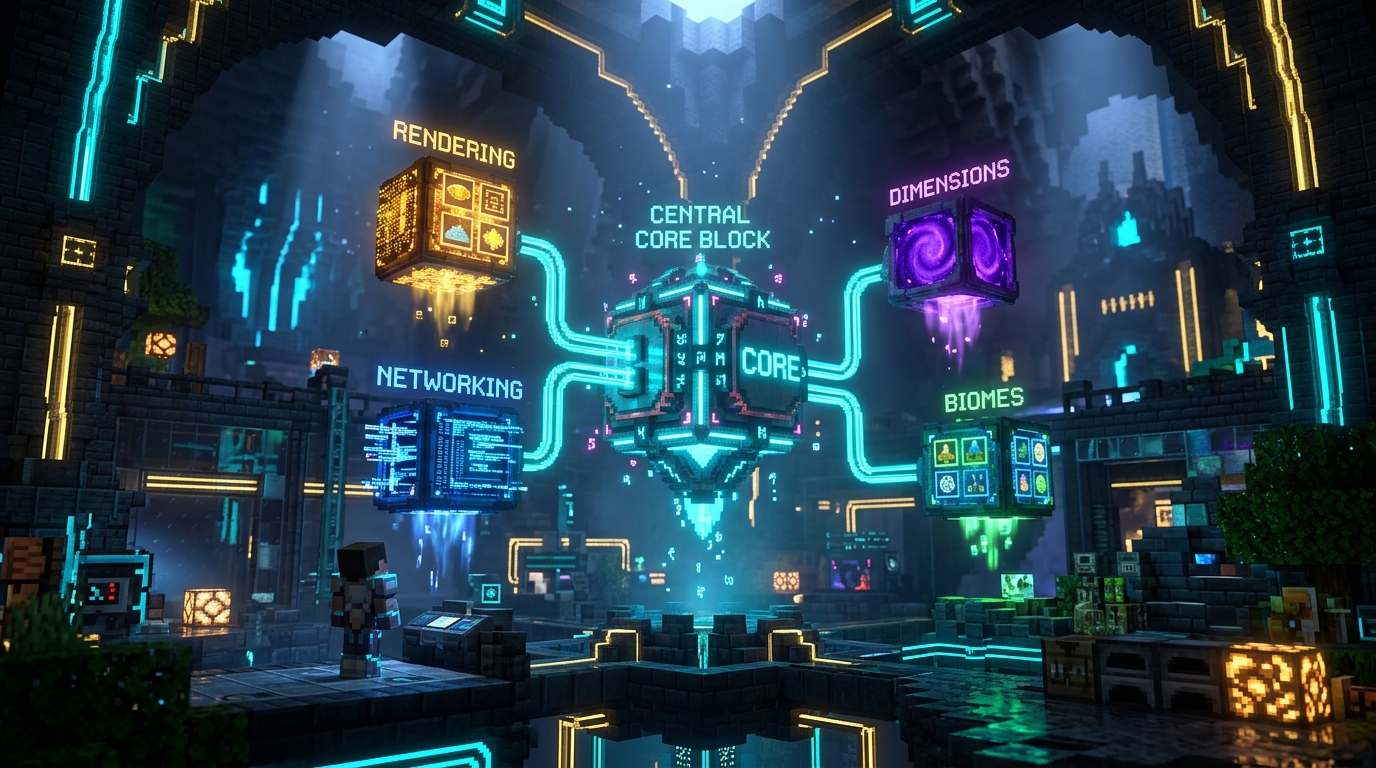
Fabric API
Fabric API is the essential hook and library mod required by nearly every Fabric gameplay mod. Dropped directly into your mods folder as a .jar, it bridges the gap between the lightweight Fabric Loader and Minecraft game engine, providing standard interfaces for custom block rendering, server-client networking packets, dimension registry, and entity lifecycle events.
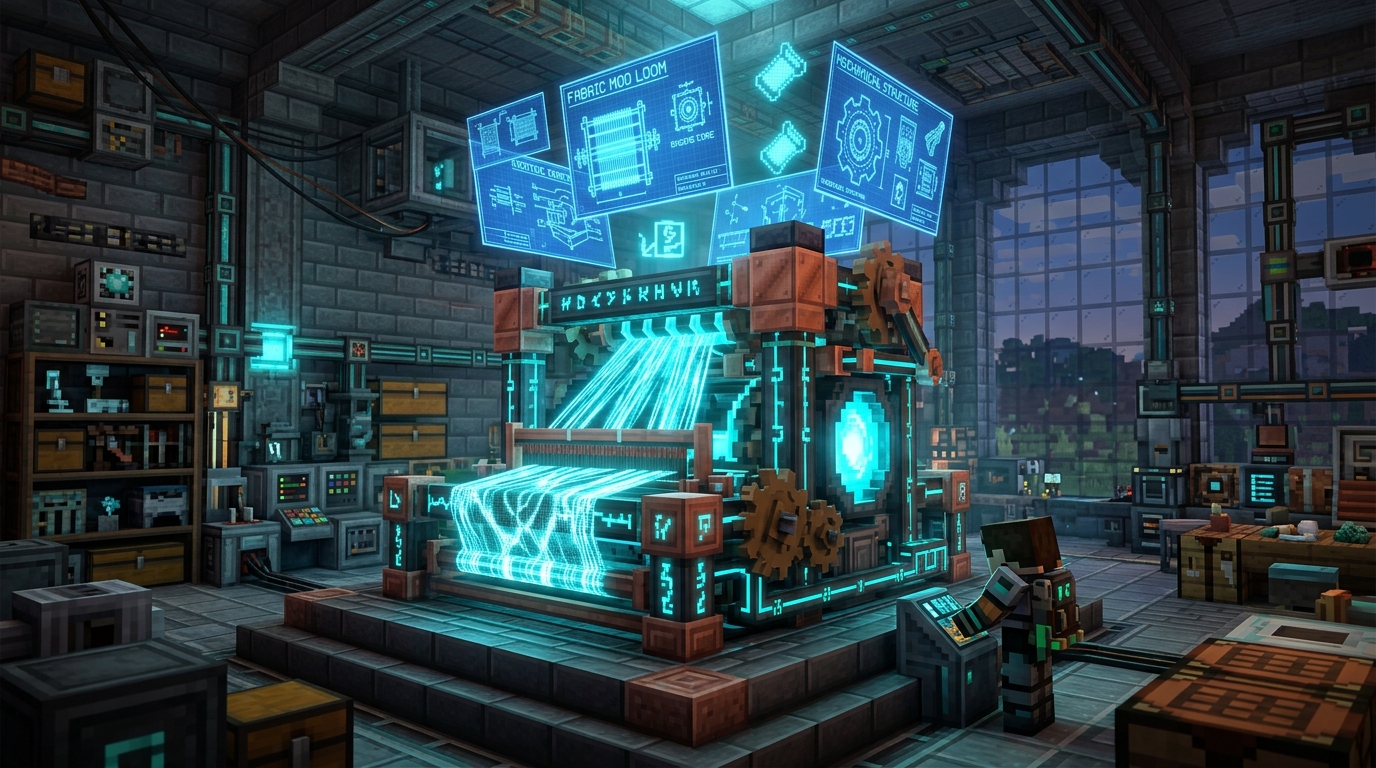
Fabric Loader
Fabric Loader is the ultra-lightweight, modular mod loading engine for Minecraft Java Edition. Unlike traditional heavy loaders, Fabric boots in milliseconds, boasts minimal RAM footprint, and utilizes the SpongePowered Mixin bytecode transformation engine. It is version-agnostic and provides instant snapshot compatibility.
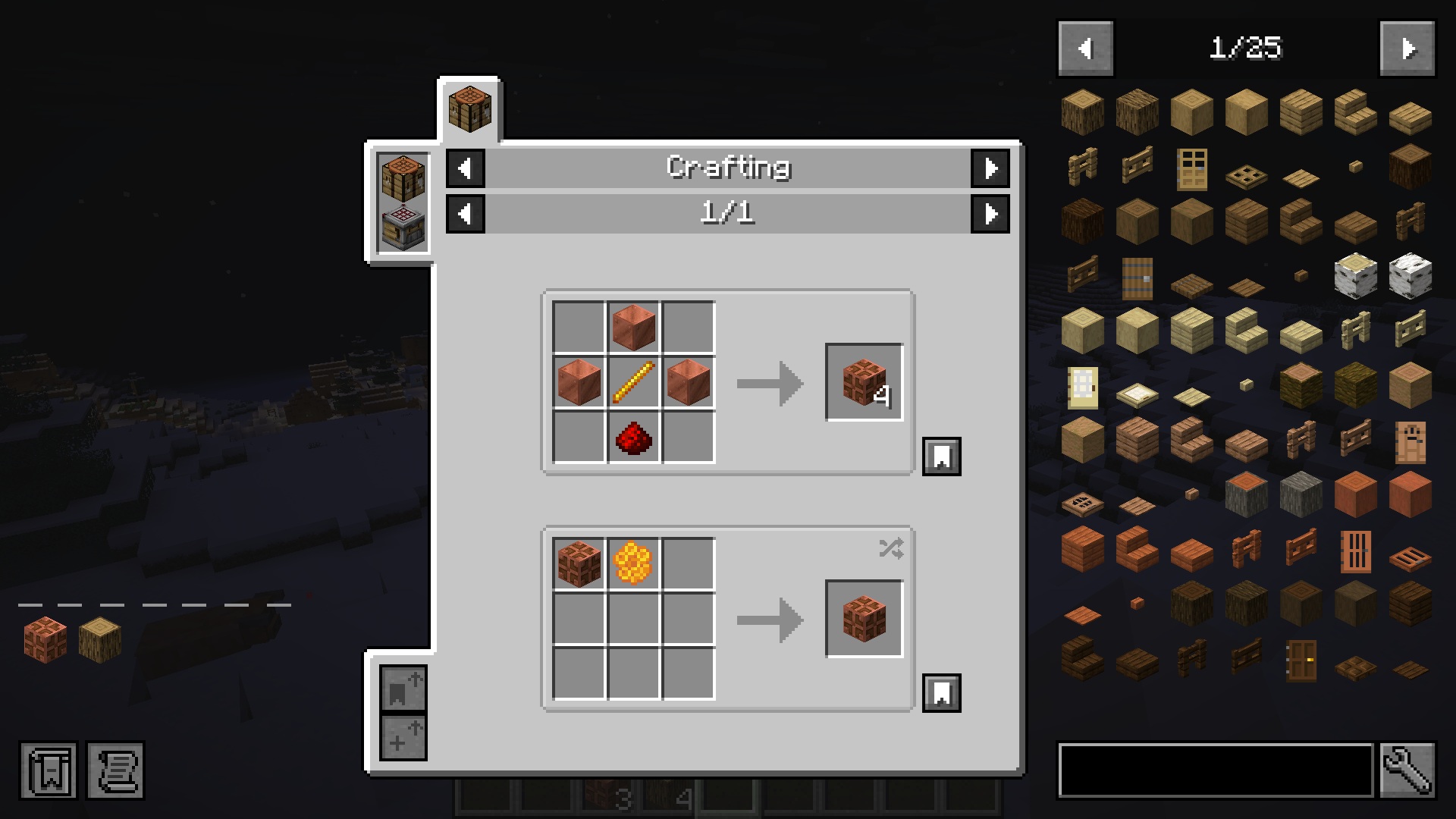
Just Enough Items (JEI)
Just Enough Items (JEI) is the essential recipe browser and item catalog for Minecraft Java Edition. It gives you instant access to every crafting, smelting, brewing, and machine recipe in your world without ever needing to open an external wiki. Search through thousands of items with advanced prefix filters, pin recipes with bookmarks, and auto-transfer ingredients into crafting tables with a single click.
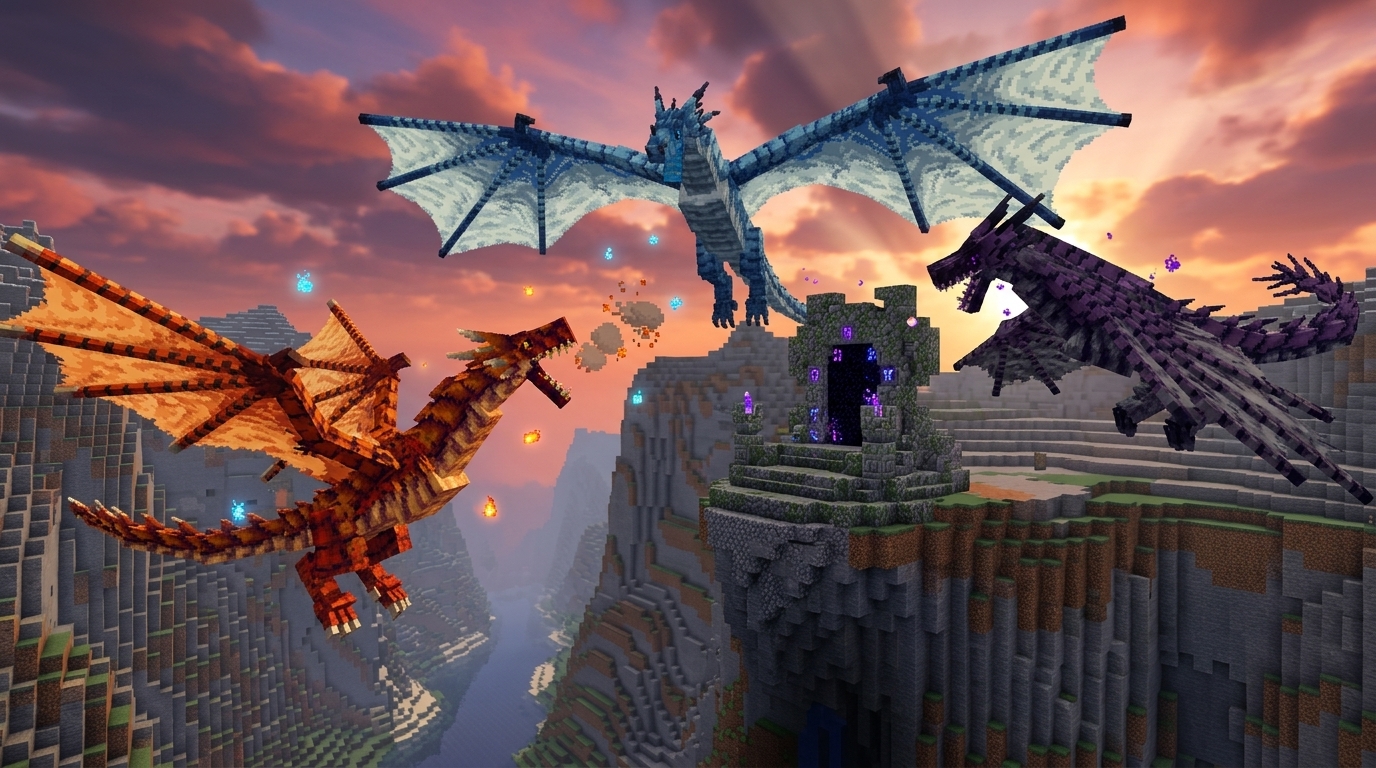
Age of Dragons
Age of Dragons is a dark fantasy progression mod: elemental dragons, machines, summoning altars, and boss gates. You build the Extracting Machine, Research Table, and Purifier, summon Common dragons for scales and blood, then push through two boss gates to Uncommon and Rare content. Six elements (Earth, Fire, Water, Wind, Ice, Lightning) feed Elemental Ingots, and the endgame chases Singularity weapons that never break. NeoForge 1.21.1. Photon, Curios, and JEI are optional.
Skin Studio
Skin Studio
Trình chỉnh sửa skin 3D tiên tiến nhất trong trình duyệt của bạn

Trình xem và tải skin
Tra cứu tên người dùng Java, xem trước skin và tải xuống PNG

Đầu Người Chơi
Tạo lệnh đầu người chơi và đầu tùy chỉnh Minecraft

Totem tùy chỉnh
Biến skin Minecraft thành gói tài nguyên Totem bất tử

Trình tạo Gói Cape
Ghép skin với cape và xuất gói .mcpack Bedrock cá nhân
Trình chỉnh sửa Cape
Vẽ họa tiết cape và elytra trực tiếp lên nhân vật Minecraft 3D

Trình xem Trang trí Giáp
Xem trước các trang trí áo giáp ở chế độ 3D và sao chép lệnh /give tương ứng

Trình tạo Papercraft
Biến tên người dùng hoặc PNG skin thành mẫu nhân vật có thể in

Avatar Maker
Design a Minecraft-style avatar from a skin or username
Command nâng cao
Trình tạo /give
Chế tạo vật phẩm chính xác với Thành phần dữ liệu 1.21.x

/summon Entity
Thiết kế mob phức tạp với thuộc tính tùy chỉnh

/waypoint Generator
Control Java Locator Bar marker colors, styles, and transmitters

/teleport Generator
Move entities to coordinates, dimensions, or another entity with precise facing

/damage Generator
Apply version-aware damage types with source, cause, and location context
/rotate Generator
Set yaw and pitch or make entities face coordinates and other entities

Trình tạo Bossbar
Tạo bossbar tùy chỉnh với xem trước trực tiếp và bộ chọn mục tiêu trực quan

Spawner mob
Tạo lệnh /setblock và /give cho các khối spawner tùy chỉnh

Hiệu ứng / Potion
Tạo hiệu ứng thuốc kéo dài cho bất kỳ thực thể nào

Công cụ Hạt
Trực quan hóa và tạo bộ phát hạt cho bản đồ

Trình tạo /fill
Lấp đầy vùng hình hộp với replace, hollow, outline, destroy, keep, strict và bộ lọc
Trình tạo /setblock
Đặt một khối với trạng thái, NBT và chế độ destroy/keep/replace/strict

Trình tạo /scoreboard
Objectives, setdisplay, players set/add và các thao tác điểm số

Trình tạo /item
Thay thế hoặc sửa đổi vật phẩm trong ô kho đồ của thực thể và khối

Trình tạo /playsound
Sự kiện âm thanh với nguồn, mục tiêu, âm lượng và cao độ

Trình tạo /team
Tạo đội và sửa đổi màu sắc, va chạm và tiền tố

NBT sang Components
Chuyển đổi NBT vật phẩm cũ và lệnh /give cũ cho các bản phát hành Java hiện tại

Potion Command Generator
Build /effect and /give potion commands with effects, amplifiers, and durations
/gamemode Generator
Switch survival, creative, adventure, and spectator modes for any target
/execute Command Builder
Compose advanced /execute chains with as, at, if, unless, and run
Sáng tạo & build

Studio Biểu ngữ
Thiết kế biểu ngữ và khiên 16 lớp

Tranh tùy chỉnh
Biến hình ảnh của bạn thành gói tài nguyên tranh vẽ Java hoặc Bedrock

Trình tạo Đĩa Nhạc
Thay thế đĩa jukebox vanilla bằng âm thanh của bạn và xuất gói Java hoặc Bedrock

Thiết kế pháo hoa
Mô phỏng và chế tạo tên lửa tùy chỉnh có vật lý
Tạo dáng Giá đỡ Giáp
Thao tác khớp nâng cao và tư thế xương

Bàn Chế Tạo
Duyệt hơn 170 công thức và tự động tính toán tất cả nguyên liệu thô cần thiết

Máy tính vật liệu
Nhập công trình Litematica và tính toàn bộ nguyên liệu thô

Schematic Converter
Convert Litematica, WorldEdit, Axiom, Java NBT, and Bedrock structures

Bảng màu Khối Minecraft
Kết hợp màu sắc khối, xây dựng bảng màu và xuất tổ hợp vật liệu
Bảng Thuốc Minecraft
Tìm kiếm mọi công thức pha chế, bộ điều chỉnh, thời gian và sự khác biệt giữa các phiên bản

Máy tính xếp chồng
Chuyển đổi vật phẩm thành stack, rương và hộp shulker

Máy tính XP
Chuyển đổi cấp độ Minecraft, XP thô và chi phí phù phép
Máy tính XP của Mob
Tra cứu vật phẩm rơi từ mob và ước tính XP trang trại mỗi giờ
Spear Damage Calculator
Simulate charge, Lunge, armor, and one-shot speed

Giao dịch dân làng
Tìm kiếm lời đề nghị nghề nghiệp và tạo lệnh giao dịch dân làng tùy chỉnh

Máy tính phù phép
Tối ưu hóa chi phí đe và kinh nghiệm cho trang bị hoàn hảo

Trình tạo Tuyên ngôn
Tạo tệp manifest.json Bedrock với UUID và siêu dữ liệu gói

Trình tạo pack.mcmeta
Siêu dữ liệu gói tài nguyên Java cho định dạng 1.21 và 26.x
Datapack Studio
Xây dựng gói dữ liệu Java đầy đủ với hàm, thẻ tải và tải xuống zip
Trình tạo công thức
Tạo JSON công thức datapack Java có hình dạng và không hình dạng
Trình tạo Bảng Chiến lợi phẩm
Xây dựng nhóm vật phẩm, số lượng và điều kiện rơi ngẫu nhiên

Trình tạo Tiến trình
Tạo JSON hiển thị và tiêu chí tiến trình tùy chỉnh
Trình tạo Thành tựu
Thiết kế và tải xuống PNG thành tựu theo phong cách Minecraft
Trình tạo Mô hình Khối
Tạo JSON mô hình khối cho gói tài nguyên Java
Trình tạo JSON phông chữ
Xây dựng tệp nhà cung cấp phông chữ bitmap cho gói tài nguyên

Hình ảnh thành pixel art
Lượng tử hóa hình ảnh thành khối và xuất lệnh xây dựng
Hình ảnh thành nghệ thuật bản đồ
Convert images into installable Java map .dat files
Map Art Builder
Create block blueprints, material lists, and Java Structure NBT

Map Art Extractor
Recover PNG images and metadata from Java map .dat files
Trình tạo huy hiệu cấp bậc
Tạo huy hiệu PNG trong suốt cho cấp bậc máy chủ Minecraft
Chiến lợi phẩm ngẫu nhiên
Xây dựng các nhóm có trọng số và mô phỏng rương

Trình tạo Biến thể Mob Tùy chỉnh
Xây dựng biến thể mob Java và xuất datapack cùng ZIP gói tài nguyên

Trình chuyển đổi Gói
Chuyển đổi gói tài nguyên Java và Bedrock trong trình duyệt của bạn
Bedrock Pack Doctor
Xác thực tệp manifest .mcaddon và .mcpack, UUID, JSON, script, texture và phần phụ thuộc
Trình hợp nhất Gói
Hợp nhất và sắp xếp lại nhiều gói tài nguyên Minecraft
MRPack → ZIP
Chuyển đổi modpack Modrinth .mrpack thành tệp ZIP tiêu chuẩn ngay lập tức
ZIP → MRPack
Chuyển đổi xuất ZIP modpack CurseForge sang tệp .mrpack Modrinth

HUD Customizer
Customize the in-game HUD with new textures and layouts

Emoji Pack Maker
Turn emoji and icons into a Minecraft resource pack font
Text & màu

Trình thiết kế MiniMessage
Trung tâm định dạng Minecraft hiện đại cho trò chuyện và tin nhắn

Trình tạo MOTD
Trình tạo mô tả danh sách máy chủ có xem trước
Trình tạo Kết cấu
Bảng màu và studio thiết kế pixel
Trung tâm Văn bản JSON
Xây dựng tellraw, tiêu đề và MOTD với định dạng

Trình tạo gradient
Thiết kế văn bản chuyển màu RGB mượt mà cho trò chuyện và biển báo

Bảng màu & Mã
Tài liệu tham khảo thiết yếu về màu sắc và định dạng trò chuyện
Trình chỉnh sửa Sách
Viết sách nhiều trang và tạo lệnh written_book
Trình tạo biển báo
Thiết kế văn bản biển báo mặt trước và sau với NBT hiện đại
Tiêu đề & Phụ đề
Xem trước các lệnh tiêu đề, phụ đề và thanh hành động của Java và Bedrock
Khám phá world
Bản đồ Seed Minecraft
Trình xem thế giới tương tác cho cấu trúc và quần xã
Earth Map Generator
Turn a real place on Earth into a Minecraft Java world
Cấu trúc Minecraft
Tìm kiếm cấu trúc và sao chép lệnh /locate đúng phiên bản

Trình liên kết Cổng
Overworld and Nether coords, portal pairs, chunks and region files
Trình tạo hình cầu
Thiết kế hình cầu và mái vòm khối tỷ lệ 1:1 hoàn hảo
Trình tạo hình tròn
Tạo bản thiết kế hình tròn và hình bầu dục hoàn hảo pixel

Kiểm soát Bầu không khí
Lệnh nhanh cho chu kỳ ngày đêm và thời tiết

Độ trễ redstone
Tính độ trễ mạch theo tick và giây

Công cụ tam giác hóa stronghold
Tìm stronghold từ hai lần ném Eye of Ender

Phân bố quặng
So sánh mức Y của quặng giữa thế giới 26.x và cổ điển

Mining Speed Calculator
Calculate block mining time for any tool, enchantment, and effect
Item ID List
Browse every Minecraft item with namespace, numeric, and legacy IDs

Beacon Calculator
Plan beacon pyramid tiers, ranges, durations, and material costs

Raid Planner
See every raid wave, raider count, and HP by difficulty and omen

Horse Breeding
Predict foal jump, speed and health, then copy a /summon
Server & file
Trình tạo plugin.yml
Tạo plugin.yml Spigot và Paper với lệnh và quyền
Cấu hình BungeeCord
Tạo config.yml khởi đầu cho proxy BungeeCord của bạn
Bắt đầu tạo Script
Tải xuống start.bat và start.sh với RAM và cờ JVM
Trình tạo eula.txt
Tạo eula.txt sau khi bạn chấp nhận các điều khoản EULA của Mojang
Whitelist.json
Xây dựng whitelist.json từ danh sách tên người chơi
Biểu tượng máy chủ
Cắt ảnh thành 64x64 server-icon.png cho nhiều người chơi
Máy tính RAM
Ước tính kích thước heap cho người chơi, plugin và khoảng cách xem
Thông tin server live
Kiểm tra trạng thái máy chủ Java công cộng, MOTD và số lượng người chơi
Management API Explorer
Explore Minecraft server management API endpoints and payloads

Level.dat Editor
Inspect and edit level.dat world metadata and game rules
MC Toolbox tổ chức thế nào
Toolbox Minecraft thực dụng cho creator, chủ server và survival
MC Toolbox gom việc hay làm: viết command, test visual, lên plan build, convert pack, check data sau update. Mỗi mục bên dưới dẫn thẳng nhóm tool - từ đọc hiểu sang làm việc nhanh.
Trình tạo lệnh
Xây dựng các lệnh Minecraft Java và Bedrock hợp lệ mà không cần ghi nhớ mọi tên thành phần, dấu ngoặc và quy tắc thoát. Các công cụ lệnh bao gồm vật phẩm tùy chỉnh, thực thể, spawner, hiệu ứng, hạt, giá đỡ áo giáp và văn bản JSON được định dạng.
Xem công cụCông cụ skin và nhân vật
Chỉnh sửa skin, xem trước trang trí giáp, tạo mẫu papercraft có thể in, và kiểm tra ngoại hình nhân vật trước khi tải xuống hoặc sao chép lệnh. Các công cụ này tập trung vào sáng tạo hình ảnh, vì vậy bản xem trước gần với những gì người chơi mong đợi trong trò chơi.
Xem công cụTiện ích gói tài nguyên
Tạo siêu dữ liệu gói, chuyển đổi định dạng gói, hợp nhất các gói tài nguyên và đóng gói tệp tranh vẽ hoặc modpack với ít bước thủ công hơn. Hầu hết công việc tệp diễn ra cục bộ trong trình duyệt, giữ tài sản riêng tư trên thiết bị của bạn.
Xem công cụCông cụ lập kế hoạch xây dựng và thế giới
Lên kế hoạch cho cổng, hình cầu, hình tròn, cấu trúc và đường dẫn seed trước khi dành hàng giờ trong chế độ sinh tồn. Các công cụ thế giới dành cho những người xây dựng và chủ máy chủ muốn có số đo rõ ràng, tọa độ dự đoán được và ít phỏng đoán hơn.
Xem công cụVăn bản, màu sắc và trình bày máy chủ
Thiết kế chuỗi MiniMessage, MOTD, gradient, mã màu và văn bản JSON kiểu tellraw với xem trước trực tiếp. Hữu ích cho danh sách máy chủ, cấp bậc, thông báo, khối lệnh, gói dữ liệu và tệp cấu hình plugin.
Xem công cụTệp máy chủ và thiết lập
Tạo plugin.yml, cấu hình BungeeCord, tập lệnh khởi động, eula.txt, whitelist.json và biểu tượng máy chủ 64x64. Được xây dựng cho các nhà điều hành muốn định dạng tệp chính xác mà không cần chỉnh sửa YAML thủ công mỗi lần.
Xem công cụTrợ giúp chế tạo và tiến triển
Tra cứu công thức, tính toán nguyên liệu thô, so sánh đường dẫn vật phẩm và tránh lãng phí tài nguyên hiếm. Những công cụ này thiết thực cho các dự án sinh tồn, lập kế hoạch SMP, hướng dẫn và người chơi quay lại sau một bản cập nhật lớn của Minecraft.
Xem công cụThese tools exist because I got tired of typing commands by hand
Real frustrations I hit while building, running servers, and designing maps
These tools exist because I got tired of typing commands by hand
Real frustrations I hit while building, running servers, and designing maps
Here's a real example. You want a banner with 12 pattern layers, specific dye colors, and a shield overlay. In vanilla, that's a /give command roughly 400 characters long with nested JSON inside NBT inside more JSON. One missing comma and the whole thing fails, and Minecraft doesn't even tell you where the error is. The Banner Studio lets you click patterns onto a live preview, tweak colors visually, and copy a verified command in seconds.
Same frustration led to the Armor Stand Designer. I had a castle build that needed 20 statues in the courtyard. Posing each one manually with /data merge entity took about 40 minutes per statue. Most of that time was fighting with limb angles. With the visual poser, I select a joint, drag it into position, and grab the command. What used to take an entire afternoon now takes 20 minutes total.
The MOTD Creator came from a server launch where I wanted a gradient welcome message with proper section symbols across 3 version targets. Getting the formatting right by hand meant trial and error, testing against multiple client versions after every tweak. Now I just pick colors, type the text, and see exactly what players will see in the multiplayer menu, no guessing, no restarts.
Every tool on this site started as a real problem I hit while playing or running servers. The Firework Designer came from a server event where I needed synchronized rocket launches across 50 players. The Crafting Calculator? Too many diamonds wasted on wrong anvil repair orders. If a tool is here, I probably built it because vanilla made something simple way harder than it needed to be.
Nội dung mới
Hướng dẫn Minecraft
Minecraft 26.40 Update Review: The End of the Immortal Boat, Sulfur Cube Tweaks, and the Stunning Dappled Drop
An in-depth, hands-on review of the Minecraft Bedrock 26.40 update. From the death of the 'immortal boat' and Sulfur Cube tweaks to the groundbreaking Dappled Forest and Cushions.
Đọc full hướng dẫnMinecraft Effect Lab: Mastering Invisible Potions and Particles in 26.x
Stop letting messy swirl circles ruin your cinematic builds and boss fights. Learn how to generate clean, invisible status effects for Minecraft 26.x.
Đọc full hướng dẫnHow to Fix "Too Expensive!" Anvil Error in Minecraft (26.x Guide)
Learn step-by-step how to bypass the 40-level anvil limit, understand prior work penalties, and use the binary tree method to combine god-tier gear.
Đọc full hướng dẫnYour world data stays on your machine. Here's why that matters
How client-side processing keeps your seeds, skins, and coordinates private by design
Your world data stays on your machine. Here's why that matters
How client-side processing keeps your seeds, skins, and coordinates private by design
Let me be direct: your Minecraft world seed is effectively a password to your server's entire geography. If someone has your seed and your base coordinates, they can locate every base, every stronghold, every hidden chest room. That's why the Seed Map Viewer runs entirely in your browser using WebAssembly (WASM). The seed you type in never touches a server, the biome math and structure detection all happen locally on your machine.
This same principle applies everywhere. The Skin Studio processes textures client-side. The /give Generator builds commands in JavaScript, not on a backend. The JSON Text Hub formats everything locally. I don't have a database to store your data, I don't run third-party analytics, and I don't collect usage data. No accounts, no uploads, no trackers. By design, not by accident.
It's faster this way too. There's no round trip to a server every time you click something. Click a tool, start working immediately. The WASM modules load once and then run at near-native speed. The Seed Map renders biome tiles in real time as you pan around. That simply wouldn't be possible if every tile had to come from a backend server.
As Minecraft keeps moving toward a data-driven architecture with each update, I'm keeping everything current, from the MRPack to ZIP converter to the Nether Portal Coordinate Calculator. The goal stays simple: handle the complex game mechanics behind the scenes while you get tools that are fast, private, and actually pleasant to use.
Trung tâm kỹ thuật
Minecraft đang data-driven hơn. Chúng tôi hỗ trợ creator với tool từ 1.18, 1.21.x đến 26.x.
Riêng tư trước
100% client-side. Seed/skin không upload.
Hiệu năng
Engine C/WASM nhanh cho seed map.
Đa thiết bị
Dùng được desktop và điện thoại.
Đáng tin
Cú pháp đã kiểm với game.
Câu hỏi thường gặp
Có miễn phí hoàn toàn không?
Có. Tool dùng free, không bắt buộc tài khoản, không phí ẩn.
Có cập nhật version Minecraft mới không?
Có. Hỗ trợ từ 1.18, 1.21.x đến 26.x, gồm data components và gen world mới.
Có liên kết Mojang không?
Dự án độc lập, không liên kết Mojang/Microsoft. Làm cho cộng đồng.
Dùng trên điện thoại được không?
Được. Tối ưu desktop, tablet và mobile trên trình duyệt hiện đại.