
The Definitive
Minecraft Creative Studio
Practical tools for commands, building, resource packs, and world exploration. No accounts and no installs, just focused Minecraft utilities in your browser.
Featured Tools

Skin Studio 3D
Create and edit Minecraft skins with professional tools and real-time preview.
Open Studio →
Seed Map Viewer
The ultimate interactive world viewer. Find structures, biomes, and secrets in any seed.
Open Studio →
/give Generator
The backbone of Minecraft customization. Craft powerful items with 1.21+ data components.
Open Studio →New
Earth Map Generator
Turn any real place on Earth into a playable Minecraft Java world. Streets, buildings, and terrain in your browser.
Open Studio →Featured Mod Guides
View All Mods →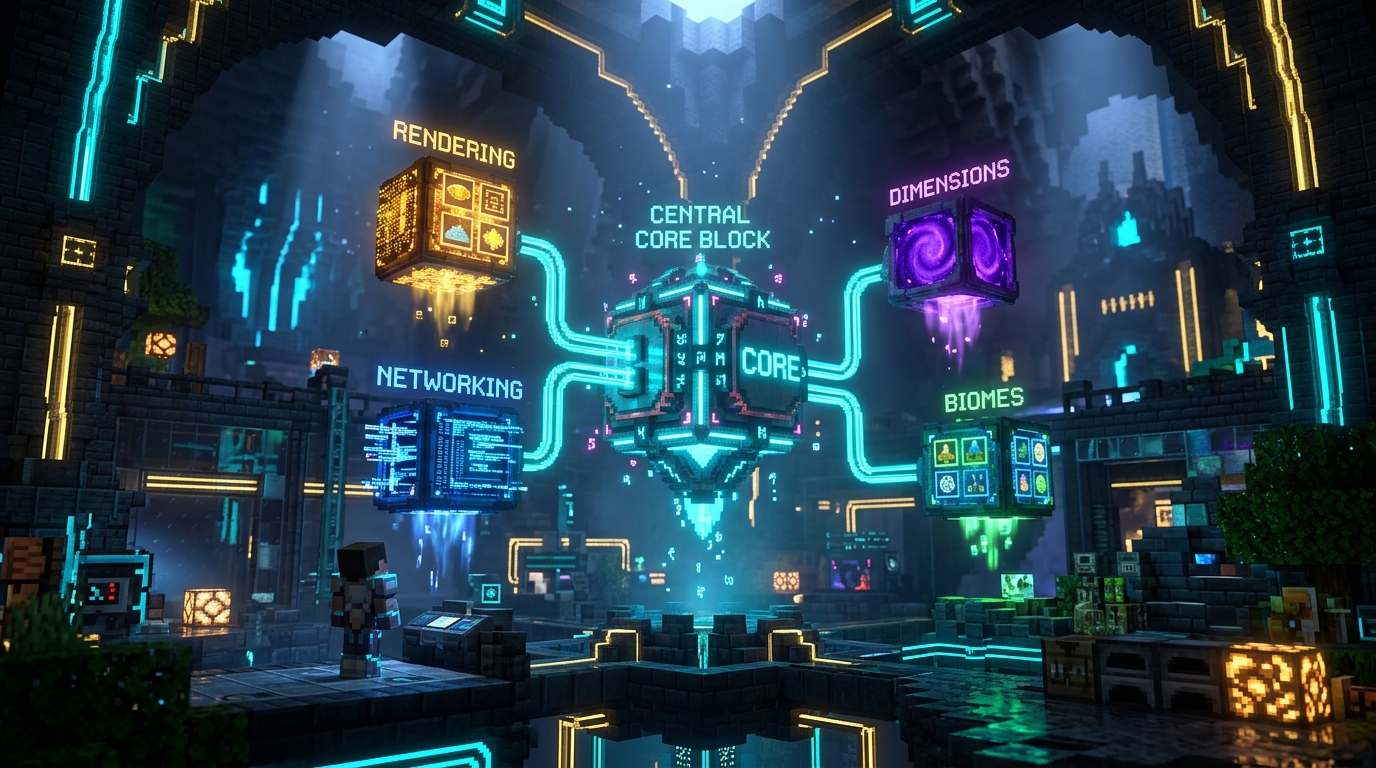
Fabric API
Fabric API is the essential hook and library mod required by nearly every Fabric gameplay mod. Dropped directly into your mods folder as a .jar, it bridges the gap between the lightweight Fabric Loader and Minecraft game engine, providing standard interfaces for custom block rendering, server-client networking packets, dimension registry, and entity lifecycle events.
Fabric Loader
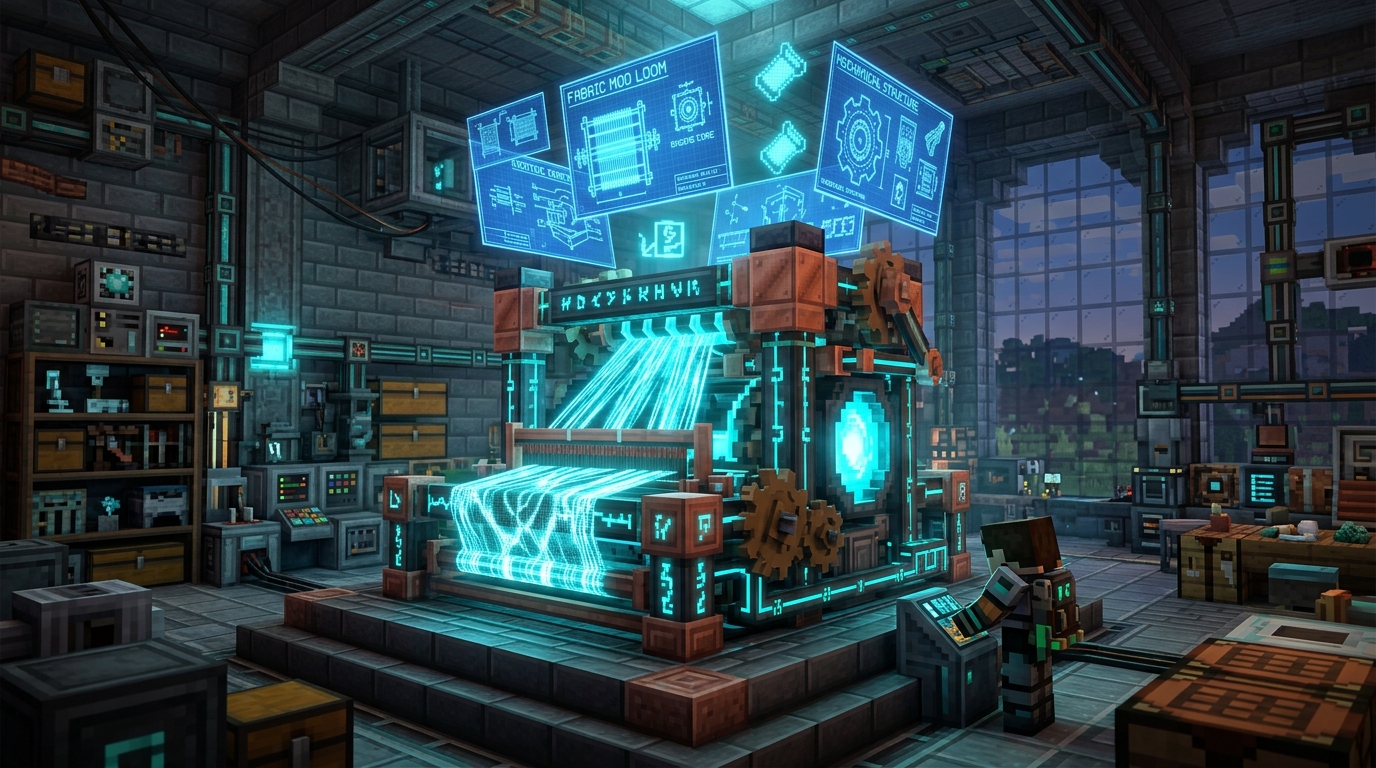
Fabric Loader is the ultra-lightweight, modular mod loading engine for Minecraft Java Edition. Unlike traditional heavy loaders, Fabric boots in milliseconds, boasts minimal RAM footprint, and utilizes the SpongePowered Mixin bytecode transformation engine. It is version-agnostic and provides instant snapshot compatibility.
Just Enough Items (JEI)
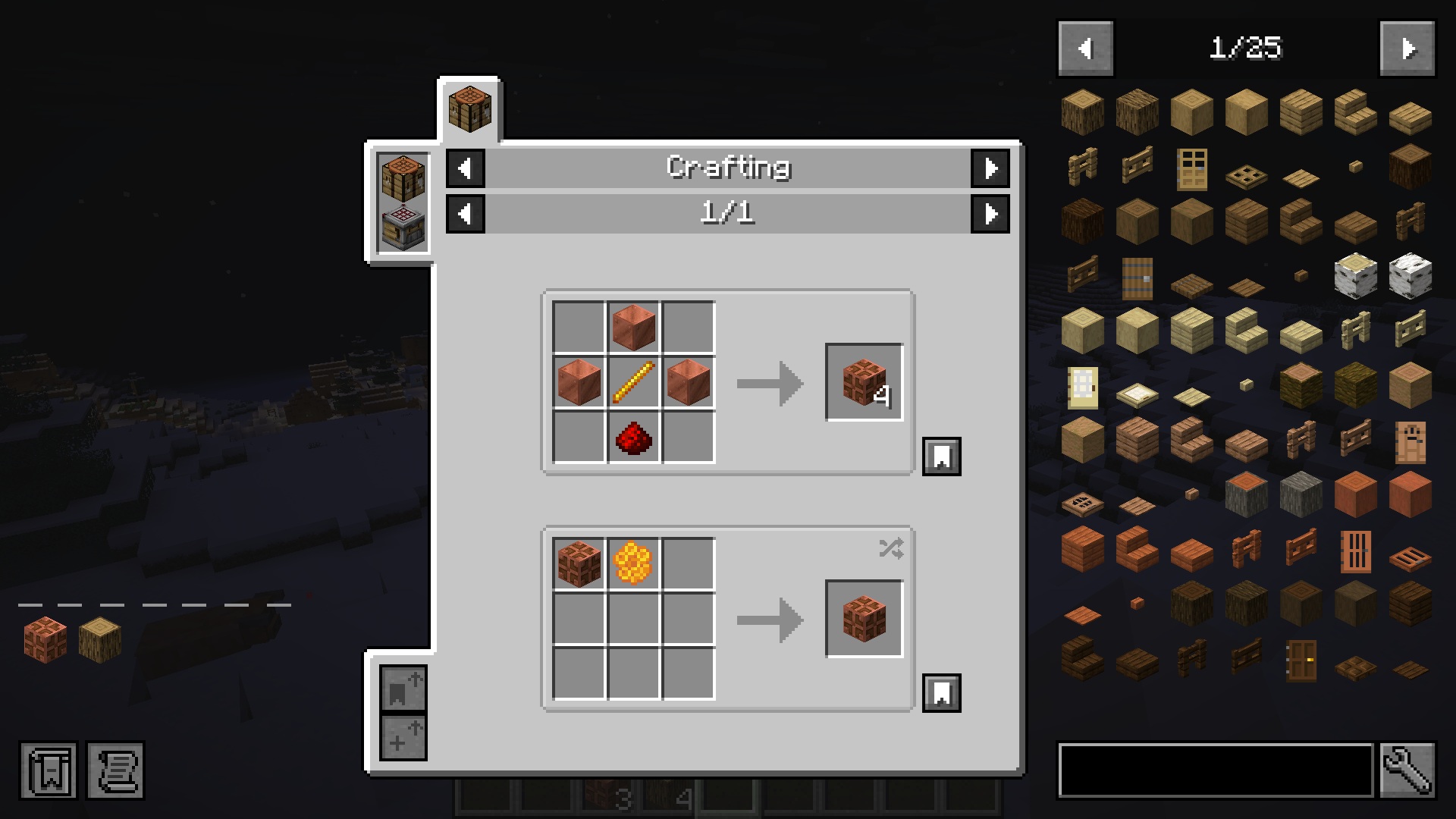
Just Enough Items (JEI) is the essential recipe browser and item catalog for Minecraft Java Edition. It gives you instant access to every crafting, smelting, brewing, and machine recipe in your world without ever needing to open an external wiki. Search through thousands of items with advanced prefix filters, pin recipes with bookmarks, and auto-transfer ingredients into crafting tables with a single click.
Age of Dragons
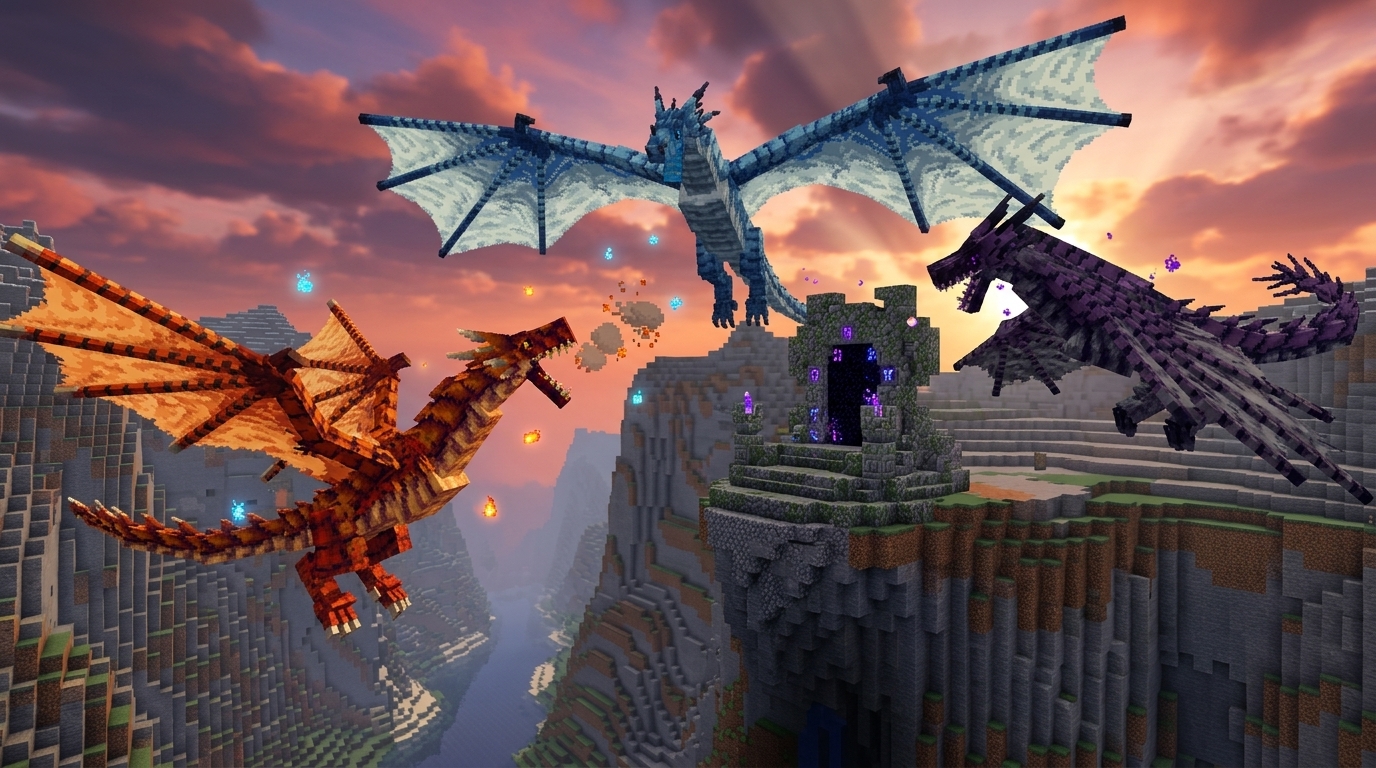
Age of Dragons is a dark fantasy progression mod: elemental dragons, machines, summoning altars, and boss gates. You build the Extracting Machine, Research Table, and Purifier, summon Common dragons for scales and blood, then push through two boss gates to Uncommon and Rare content. Six elements (Earth, Fire, Water, Wind, Ice, Lightning) feed Elemental Ingots, and the endgame chases Singularity weapons that never break. NeoForge 1.21.1. Photon, Curios, and JEI are optional.
Skin Studio
Skin Studio
The most advanced 3D skin editor in your browser

Skin Viewer & Download
Look up a Java username, preview the skin, and download the PNG

Player Heads
Generate Minecraft player head and custom head commands

Custom Totem
Turn a Minecraft skin into a Totem of Undying resource pack

Cape Pack Builder
Pair skins with capes and export a personal Bedrock .mcpack
Cape Editor
Paint cape and elytra textures directly on a 3D Minecraft character

Armor Trim Viewer
Preview armor trims in 3D and copy matching /give commands

Papercraft Generator
Turn a username or skin PNG into a printable character template

Avatar Maker
Design a Minecraft-style avatar from a skin or username
Advanced Commands
/give Generator
Craft precision items with 1.21.x Data Components

/summon Entity
Design complex mobs with custom attributes

/waypoint Generator
Control Java Locator Bar marker colors, styles, and transmitters

/teleport Generator
Move entities to coordinates, dimensions, or another entity with precise facing

/damage Generator
Apply version-aware damage types with source, cause, and location context
/rotate Generator
Set yaw and pitch or make entities face coordinates and other entities

Bossbar Generator
Create custom bossbars with a live preview and visual target selectors

Mob Spawner
Generate /setblock and /give commands for custom spawner blocks

Effect / Potion
Generate long-lasting potion effects for any entity

Particle Engine
Visualize and generate particle emitters for maps

/fill Generator
Fill cuboid regions with replace, hollow, outline, destroy, keep, strict, and filters
/setblock Generator
Place one block with states, NBT, and destroy/keep/replace/strict modes

/scoreboard Generator
Objectives, setdisplay, players set/add, and score operations

/item Generator
Replace or modify items in entity and block inventory slots

/playsound Generator
Sound events with source, targets, volume, and pitch

/team Generator
Create teams and modify color, collision, and prefixes

NBT to Components
Convert legacy item NBT and old /give commands for current Java releases

Potion Command Generator
Build /effect and /give potion commands with effects, amplifiers, and durations
/gamemode Generator
Switch survival, creative, adventure, and spectator modes for any target
/execute Command Builder
Compose advanced /execute chains with as, at, if, unless, and run
Creative Building

Banner Studio
16 layer banner and shield designer

Custom Paintings
Turn your images into Java or Bedrock painting resource packs

Music Disc Maker
Replace vanilla jukebox discs with your audio and export Java or Bedrock packs

Firework Designer
Simulate and craft custom rockets with physics
Armor Stand Posing
Advanced joint manipulation and skeletal pose

Crafting Table
Browse 170+ recipes and auto-calculate all raw materials needed

Material Calculator
Import Litematica builds and calculate every raw resource

Schematic Converter
Convert Litematica, WorldEdit, Axiom, Java NBT, and Bedrock structures

Minecraft Block Palette
Match block colors, build palettes, and export material combinations
Minecraft Potion Chart
Search every brewing recipe, modifier, duration, and edition difference

Stack Calculator
Convert items to stacks, chests, and shulker boxes

XP Calculator
Convert Minecraft levels, raw XP, and enchanting costs
Mob XP Calculator
Look up mob drops and estimate farm XP per hour
Spear Damage Calculator
Simulate charge, Lunge, armor, and one-shot speed

Villager Trades
Search profession offers and build custom villager trade commands

Enchant Calculator
Optimize anvil costs and XP for perfect gear

Manifest Generator
Create Bedrock manifest.json files with UUIDs and pack metadata

pack.mcmeta Generator
Java resource-pack metadata for 1.21 and 26.x formats
Datapack Studio
Build a full Java data pack with functions, load tags, and zip download
Recipe Generator
Create shaped and shapeless Java datapack recipe JSON
Loot Table Generator
Build item pools, counts, and random drop conditions

Advancement Generator
Generate custom advancement display and criteria JSON
Achievement Maker
Design and download Minecraft-style achievement PNGs
Block Model Generator
Create Java resource-pack block model JSON
Font JSON Generator
Build bitmap font provider files for resource packs

Image to Pixel Art
Quantize images to blocks and export build commands
Image to Map Art
Convert images into installable Java map .dat files
Map Art Builder
Create block blueprints, material lists, and Java Structure NBT

Map Art Extractor
Recover PNG images and metadata from Java map .dat files
Rank Badge Maker
Create transparent PNG badges for Minecraft server ranks
Random Loot
Build weighted pools and simulate chest rolls

Custom Mob Variant Builder
Build Java mob variants and export datapack plus resource-pack ZIPs

Pack Converter
Convert Java and Bedrock resource packs in your browser
Bedrock Pack Doctor
Validate .mcaddon and .mcpack manifests, UUIDs, JSON, scripts, textures, and dependencies
Pack Merger
Merge and reorder multiple Minecraft resource packs
MRPack → ZIP
Convert Modrinth .mrpack modpacks to a standard ZIP file instantly
ZIP → MRPack
Convert CurseForge modpack ZIP exports to Modrinth .mrpack files

HUD Customizer
Customize the in-game HUD with new textures and layouts

Emoji Pack Maker
Turn emoji and icons into a Minecraft resource pack font
Rich Text & Colors

MiniMessage Designer
Modern Minecraft formatting Hub for chat and messages

MOTD Creator
Server list description generator with preview
Texture Maker
Color palette and pixel design studio
JSON Text Hub
Build tellraw, titles, and MOTDs with formatting

Gradient Creator
Design smooth RGB fading text for chat and signs

Palette & Codes
Essential reference for chat colors and formatting
Book Editor
Write multi-page books and generate written_book commands
Sign Generator
Design front and back sign text with modern NBT
Title & Subtitle
Preview Java and Bedrock title, subtitle, and actionbar commands
World Exploration
Minecraft Seed Map
Interactive world viewer for structures and biomes
Earth Map Generator
Turn a real place on Earth into a Minecraft Java world
Minecraft Structures
Search structures and copy version-correct /locate commands

Portal Linker
Overworld and Nether coords, portal pairs, chunks and region files
Sphere Generator
Design perfect 1:1 scale block spheres and domes
Circle Generator
Create pixel-perfect circle and oval blueprints

Atmosphere Control
Quick commands for daylight cycles and weather

Redstone Delay
Calculate circuit delay in ticks and seconds

Stronghold Triangulator
Find a stronghold from two Eye of Ender throws

Ore Distribution
Compare ore Y-levels across 26.x and classic worlds

Mining Speed Calculator
Calculate block mining time for any tool, enchantment, and effect
Item ID List
Browse every Minecraft item with namespace, numeric, and legacy IDs

Beacon Calculator
Plan beacon pyramid tiers, ranges, durations, and material costs

Raid Planner
See every raid wave, raider count, and HP by difficulty and omen

Horse Breeding
Predict foal jump, speed and health, then copy a /summon
Server & Files
plugin.yml Generator
Generate Spigot and Paper plugin.yml with commands and permissions
BungeeCord Config
Create a starter config.yml for your BungeeCord proxy
Start Script Gen
Download start.bat and start.sh with RAM and JVM flags
eula.txt Generator
Generate eula.txt after you accept Mojang EULA terms
Whitelist.json
Build whitelist.json from a list of player names
Server Icon
Crop an image to 64x64 server-icon.png for multiplayer
RAM Calculator
Estimate heap size for players, plugins, and view distance
Live Server Info
Check public Java server status, MOTD, and player count
Management API Explorer
Explore Minecraft server management API endpoints and payloads

Level.dat Editor
Inspect and edit level.dat world metadata and game rules
How MC Toolbox is organized
A practical Minecraft toolbox for creators, server owners, and survival players
MC Toolbox is built around the work players actually repeat: writing commands, testing visuals, planning builds, converting resource packs, and checking game data after updates. Each section below links to a real tool group rather than a generic landing page, so you can move from research to creation quickly.
Command generators
Build valid Minecraft Java and Bedrock commands without memorizing every component name, bracket, and escaping rule. The command tools cover custom items, entities, spawners, effects, particles, armor stands, and formatted JSON text.
Explore toolsSkin and character tools
Edit skins, preview armor trims, generate printable papercraft templates, and test how a character looks before downloading or copying commands. These tools are focused on visual creation, so the preview stays close to what players expect in game.
Explore toolsResource pack utilities
Create pack metadata, convert pack formats, merge resource packs, and package paintings or modpack files with fewer manual steps. Most file work happens locally in the browser, which keeps private assets on your own device.
Explore toolsBuild planning and world tools
Plan portals, spheres, circles, structures, and seed routes before spending hours in survival. The world tools are meant for builders and server owners who want clear measurements, predictable coordinates, and less guesswork.
Explore toolsText, color, and server presentation
Design MiniMessage strings, MOTDs, gradients, color codes, and tellraw-style JSON text with live previews. This is useful for server lists, ranks, announcements, command blocks, datapacks, and plugin configuration files.
Explore toolsServer files and setup
Generate plugin.yml, BungeeCord config, start scripts, eula.txt, whitelist.json, and a 64x64 server icon. Built for operators who want correct file shapes without hand-editing YAML every time.
Explore toolsCrafting and progression helpers
Look up recipes, calculate raw materials, compare item paths, and avoid wasting rare resources. These tools are practical for survival projects, SMP planning, tutorials, and players returning after a major Minecraft update.
Explore toolsThese tools exist because I got tired of typing commands by hand
Real frustrations I hit while building, running servers, and designing maps
These tools exist because I got tired of typing commands by hand
Real frustrations I hit while building, running servers, and designing maps
Here's a real example. You want a banner with 12 pattern layers, specific dye colors, and a shield overlay. In vanilla, that's a /give command roughly 400 characters long with nested JSON inside NBT inside more JSON. One missing comma and the whole thing fails, and Minecraft doesn't even tell you where the error is. The Banner Studio lets you click patterns onto a live preview, tweak colors visually, and copy a verified command in seconds.
Same frustration led to the Armor Stand Designer. I had a castle build that needed 20 statues in the courtyard. Posing each one manually with /data merge entity took about 40 minutes per statue. Most of that time was fighting with limb angles. With the visual poser, I select a joint, drag it into position, and grab the command. What used to take an entire afternoon now takes 20 minutes total.
The MOTD Creator came from a server launch where I wanted a gradient welcome message with proper section symbols across 3 version targets. Getting the formatting right by hand meant trial and error, testing against multiple client versions after every tweak. Now I just pick colors, type the text, and see exactly what players will see in the multiplayer menu, no guessing, no restarts.
Every tool on this site started as a real problem I hit while playing or running servers. The Firework Designer came from a server event where I needed synchronized rocket launches across 50 players. The Crafting Calculator? Too many diamonds wasted on wrong anvil repair orders. If a tool is here, I probably built it because vanilla made something simple way harder than it needed to be.
Latest Content
Minecraft Guides
Minecraft 26.40 Update Review: The End of the Immortal Boat, Sulfur Cube Tweaks, and the Stunning Dappled Drop
An in-depth, hands-on review of the Minecraft Bedrock 26.40 update. From the death of the 'immortal boat' and Sulfur Cube tweaks to the groundbreaking Dappled Forest and Cushions.
Read Full GuideMinecraft Effect Lab: Mastering Invisible Potions and Particles in 26.x
Stop letting messy swirl circles ruin your cinematic builds and boss fights. Learn how to generate clean, invisible status effects for Minecraft 26.x.
Read Full GuideHow to Fix "Too Expensive!" Anvil Error in Minecraft (26.x Guide)
Learn step-by-step how to bypass the 40-level anvil limit, understand prior work penalties, and use the binary tree method to combine god-tier gear.
Read Full GuideYour world data stays on your machine. Here's why that matters
How client-side processing keeps your seeds, skins, and coordinates private by design
Your world data stays on your machine. Here's why that matters
How client-side processing keeps your seeds, skins, and coordinates private by design
Let me be direct: your Minecraft world seed is effectively a password to your server's entire geography. If someone has your seed and your base coordinates, they can locate every base, every stronghold, every hidden chest room. That's why the Seed Map Viewer runs entirely in your browser using WebAssembly (WASM). The seed you type in never touches a server, the biome math and structure detection all happen locally on your machine.
This same principle applies everywhere. The Skin Studio processes textures client-side. The /give Generator builds commands in JavaScript, not on a backend. The JSON Text Hub formats everything locally. I don't have a database to store your data, I don't run third-party analytics, and I don't collect usage data. No accounts, no uploads, no trackers. By design, not by accident.
It's faster this way too. There's no round trip to a server every time you click something. Click a tool, start working immediately. The WASM modules load once and then run at near-native speed. The Seed Map renders biome tiles in real time as you pan around. That simply wouldn't be possible if every tile had to come from a backend server.
As Minecraft keeps moving toward a data-driven architecture with each update, I'm keeping everything current, from the MRPack to ZIP converter to the Nether Portal Coordinate Calculator. The goal stays simple: handle the complex game mechanics behind the scenes while you get tools that are fast, private, and actually pleasant to use.
Technical Hub
Minecraft is moving towards a data-driven future. We provide the technical backbone for creators using components from 1.18, 1.21.x, through 26.x.
Privacy First
100% Client-side. No data leaks.
Performance
Lightning-fast native C engine.
Responsive
Desktop power on your phone.
Reliable
Verified in-game syntax.
Frequently Asked
Is it completely free?
Yes. All professional grade tools are free with no account requirements or hidden costs.
Is it updated for the latest Minecraft versions?
Absolutely. We support every release from 1.18 and 1.21.x through the current 26.x year-based updates, including all new Data Components and world generation changes.
Affiliation with Mojang?
Independent project. Not affiliated with Mojang Studios or Microsoft. Built by the community, for the community.
Does it work on mobile?
Yes. Every tool is optimized for Desktop, Tablet, and Mobile across all major modern browsers.