
A server MOTD has little space to communicate identity, game mode and version support. Readability matters more than adding every available color or decoration.
The correct output format depends on the server or plugin that parses the field. Confirm that requirement first, then test the finished text in an actual multiplayer server-list entry.
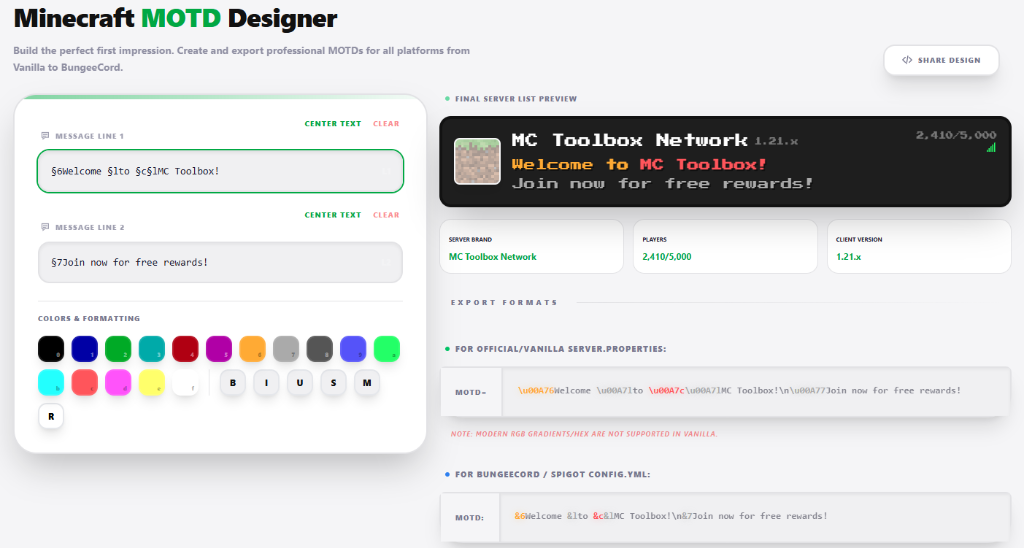
Validate the MOTD where players actually see it
- Choose the server software and confirm whether it accepts plain legacy codes, MiniMessage or another plugin format.
- Keep the first line recognizable at narrow server-list widths.
- Use the second line for version, mode or a concise call to action.
- Restart or reload the responsible plugin, then test from a clean client entry.
Formatting support is parser-dependent. A MiniMessage gradient pasted into a field that expects legacy codes will show raw markup. Avoid excessive symbols and obfuscated text; they reduce readability and can clip differently across client languages.
Operational checklist
Check the MOTD with formatting disabled, on a narrow client window and with the server offline. Do not promise a player count, version range or feature the proxy does not provide. Keep the address and status recognizable even when icons or custom fonts fail to load.
