
Custom music discs allow you to add custom soundtracks, meme audio, or background music to your Minecraft server or adventure map using resource packs.
Audio Format Requirements
Minecraft requires all custom audio files to be encoded in OGG Vorbis (.ogg) format at 44.1kHz sample rate.
sounds.json Registry Configuration
In your resource pack, register the audio file in assets/minecraft/sounds.json:
{
  "music_disc.custom_track": {
    "sounds": [
      { "name": "records/my_custom_song", "stream": true }
    ]
  }
}
Converting MP3/WAV Audio Automatically
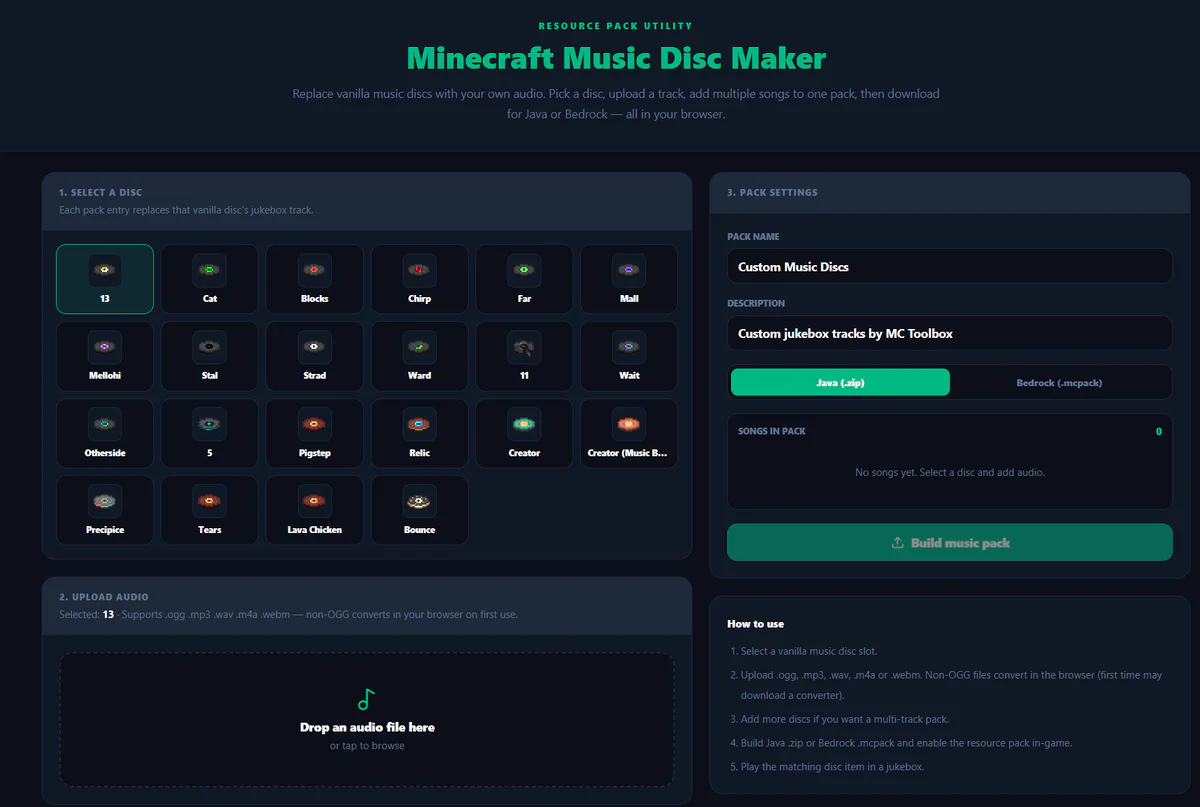
Converting audio files and setting up the JSON manually can be tricky. Use our web-based Music Disc Maker to drag and drop your audio files and export a complete Java or Bedrock pack in seconds!
Add audio to a resource pack
- Convert audio to OGG Vorbis and use a lowercase filename without spaces.
- Place the file under your namespace in the resource pack.
- Register the sound event in
sounds.jsonwith a path that matches the file. - Reload resources and test the event with
/playsoundbefore connecting it to an item. - Test volume and falloff from several distances.
Diagnose silent audio
Check the game log for a missing file or invalid JSON, confirm the sound category is audible and verify that the OGG encoding is supported. File paths are case-sensitive inside packs even when the operating system is forgiving.
A custom sound event does not automatically create a fully independent music disc item. Depending on the target version and design, a datapack, item component or replacement model may also be required.
