
A text gradient calculates intermediate colors across a string, but the copied result only works when the destination understands its formatting syntax. MiniMessage, legacy plugin codes and vanilla JSON text are different outputs.
Choose the target format first, keep the color contrast readable and test the result in the narrowest place where it will appear.
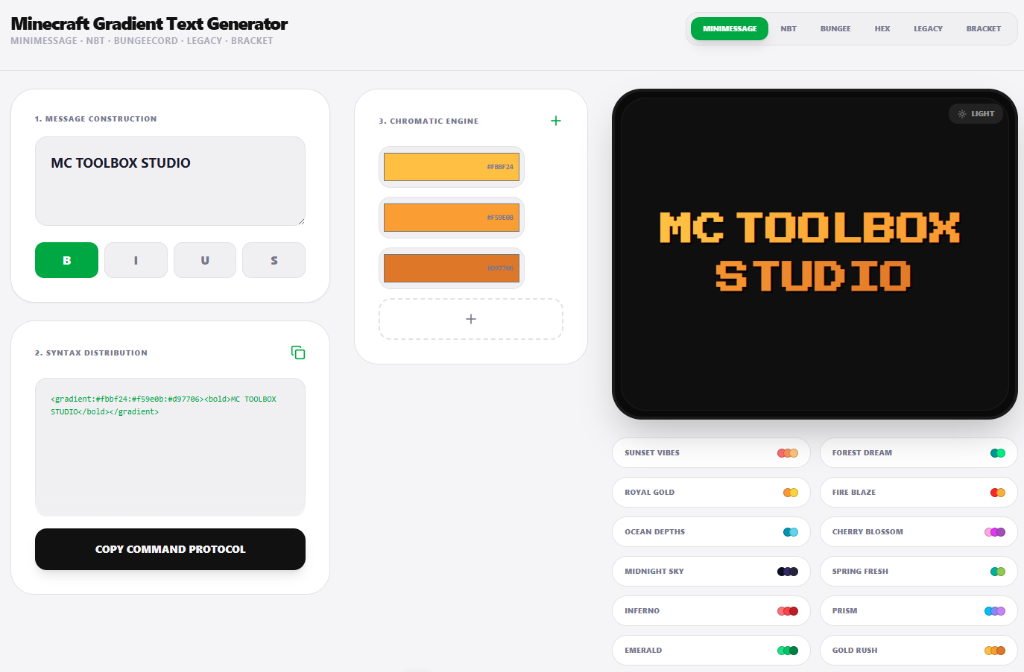
Create a gradient that remains readable
- Enter the exact visible text, including spaces and punctuation.
- Choose two colors with enough contrast against the background where the text will appear.
- Select the target format, such as MiniMessage, legacy color codes or JSON text.
- Copy the result into a test message before placing it in a permanent MOTD or configuration file.
Choose the output format carefully
MiniMessage gradients require a server or plugin that parses MiniMessage. Vanilla commands use JSON or SNBT text components depending on the game version. Legacy section-sign or ampersand formatting supports a smaller color set unless a plugin adds hexadecimal color handling. A correct-looking preview cannot make an unsupported destination understand the format.
For long names, use a subtle color change and avoid combining a gradient with heavy bold, obfuscated or underlined formatting. Check the result in the server list, chat and the intended menu because each surface has a different width and may truncate the text.
Accessibility and fallback
Color should not be the only way a message communicates rank, warning or state. Keep the wording meaningful in plain text and verify contrast in both light and dark interfaces. Save the two endpoint colors and output format so the design can be regenerated consistently later.
