
Once a survival world starts producing several double chests of cobblestone, crops, and mob drops, manual sorting becomes one of those jobs that quietly consumes every play session. I prefer to solve that problem with a modular hopper sorter: I build and test one filter slice first, then copy the working slice for every item that deserves its own chest.
This guide covers the familiar comparator-based item filter for Minecraft Java Edition. Java and Bedrock redstone do not always behave identically, so I would test the design in a creative copy of the world before committing it to a large Bedrock storage room.
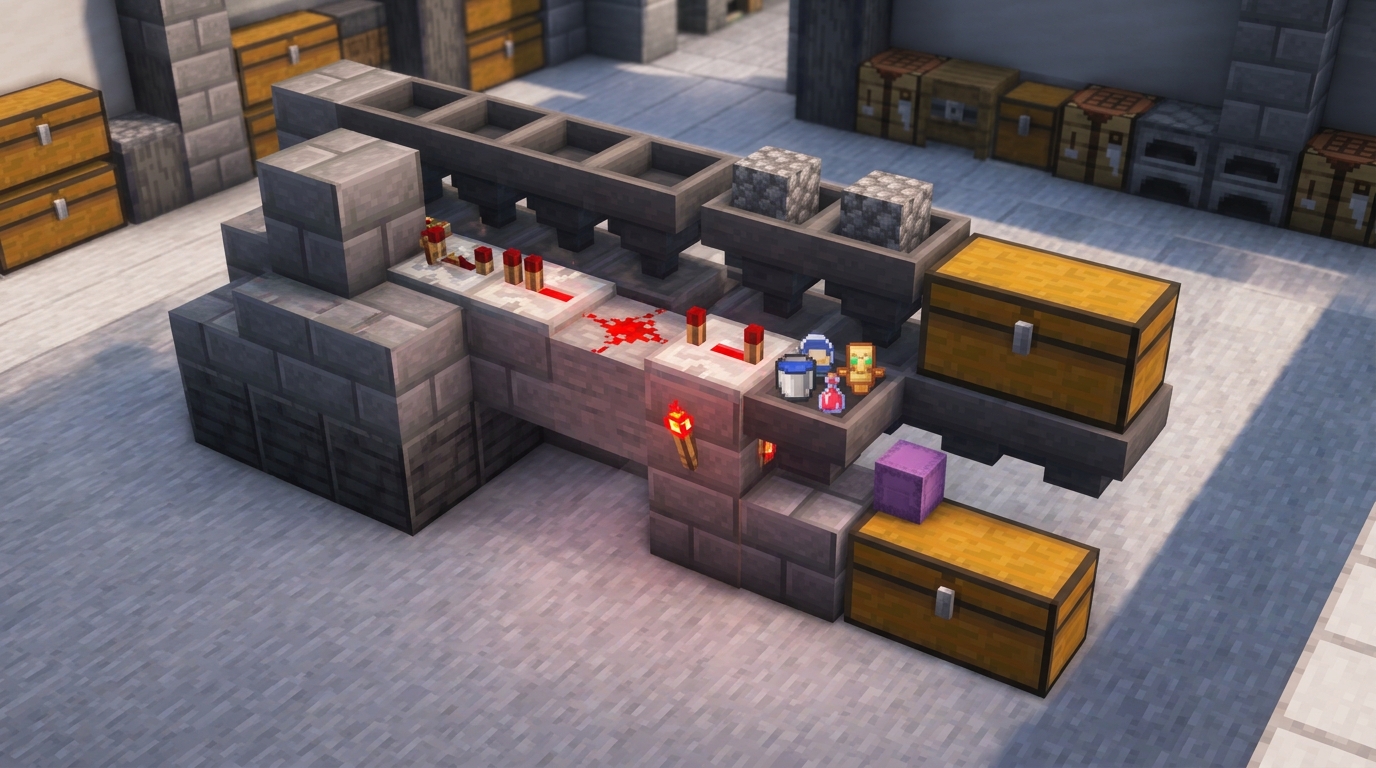
What This Item Sorter Does
A top hopper line carries mixed items across the storage wall. Under that line, each filter hopper is assigned one stackable item. A comparator reads how full the filter hopper is. When the matching item raises the container signal from 2 to 3, the circuit briefly unlocks the hopper below and moves one item into its chest. Items that do not match continue along the top line toward another filter or an overflow chest.
The important detail is that a hopper normally stops transferring items while it receives redstone power. Mojang's official hopper guide describes this locking behavior, while the official comparator guide explains that a comparator outputs a signal based on container fullness. The sorter combines those two mechanics rather than relying on a special filtering block.
Materials for One Filter Slice
For each item category, gather:
- 2 hoppers: one filter hopper and one output hopper
- 1 comparator
- 1 repeater
- 1 redstone torch
- 3 redstone dust
- Several solid building blocks
- 1 chest or barrel for the sorted output
- 41 copies of the item being sorted
- 4 renamed filler items that stack to 64
You also need an input line above the filters. That can be a row of hoppers, a water stream feeding hoppers, or another transport system appropriate for the farm. I add a final overflow chest at the end so an unexpected item never sits in the transport line indefinitely.
Build the Redstone Filter Step by Step
- Place the storage container. Put the chest or barrel where you want the sorted item to finish.
- Add the output hopper. Sneak-place a hopper so its nozzle points into the storage container.
- Add the filter hopper. Place another hopper above or behind the output hopper. Its nozzle should point sideways into the comparator-reading block, not down into the output hopper.
- Read the filter hopper. Place a comparator behind the filter hopper with the comparator's two rear torches facing the hopper and its single front torch facing away.
- Build the signal line. Run three redstone dust from the comparator across solid blocks, then route the signal through a repeater to the block holding the redstone torch.
- Lock the output hopper. Position the torch so it powers the output hopper during the normal resting state. When the comparator reaches signal strength 3, the circuit turns that torch off briefly and allows one matching item to move.
Before copying the module, throw a few test items into the input line. I check three cases: the target item reaches the correct chest, an unrelated item passes to the overflow chest, and the filter returns to its original inventory count after the transfer.
Why the 41-1-1-1-1 Hopper Formula Works
Open the filter hopper and arrange its five slots like this:
- Slot 1: 41 of the item you want to sort
- Slots 2 to 5: 1 renamed filler item in each slot
Those 45 items produce comparator signal strength 2. When another matching item enters slot 1, the total becomes 46 and the output rises to signal strength 3. That stronger signal reaches the final dust, changes the torch state, and unlocks the output hopper long enough to remove one item. The filter then returns to 41 target items and four fillers.
I always rename the four filler items in an anvil. A name such as Sorter Filler makes it extremely unlikely that normal farm output will merge with them. Use items that stack to 64; a 16-stack item changes the fullness calculation and can make the filter behave differently.
Prevent Overflow and Cross-Talk
The 41-1-1-1-1 arrangement is popular because it gives adjacent modules enough signal separation when built correctly. Even so, a full destination chest can back items up into the filter. My usual safety measures are:
- Use at least a double chest for high-volume farm drops.
- Add more storage underneath rather than increasing the number of items held in the filter hopper.
- Leave an overflow chest at the end of the transport line.
- Test neighboring slices at the same time before duplicating an entire warehouse.
- Avoid loading or unloading the area while a very large burst of items is moving, especially on a busy server.
Common Problems I Check First
The target item passes the filter
Confirm that the filter hopper points sideways and that the target item is in slot 1. Also check that the output hopper is actually being locked by the redstone torch.
Filler items enter the chest
The filter was probably configured with the wrong counts, the filler does not stack to 64, or an external signal unlocked the hopper for too long. Restore the 41-1-1-1-1 inventory before testing again.
Two neighboring filters activate
Recheck the dust length and make sure each comparator is reading its own hopper. Cross-talk usually means a block or dust piece was copied one position too far.
Tools, potions, and buckets do not sort correctly
This design is intended for stackable items. Non-stackable items produce a different container signal and need a dedicated design. Use the separate unstackable item sorter guide for those items.
Planning a Larger Storage Room
I group filters by source rather than alphabetically: stone and mining drops together, farm crops together, mob drops together, and frequently used redstone components near the entrance. This reduces walking time and makes expansion easier. If you know the number of double chests and hopper slots in the design, the Minecraft Stack Calculator can convert the required item totals into stacks, shulker boxes, and storage capacity.
For the underlying mechanics, see Minecraft's official articles on hoppers and redstone comparators. I recommend treating the first completed slice as a prototype: verify the hopper directions, signal strengths, and overflow path there, then repeat only the version that has passed all three tests.
