
Armor stands are useful for equipment displays, static characters and map scenes. A reliable command needs more than a pose: gravity, visibility, base plate, arms, size, tags and interaction behavior can all affect the result.
Build the stand incrementally and keep a removable entity tag so a map can update or clean up its scene without targeting unrelated armor stands.
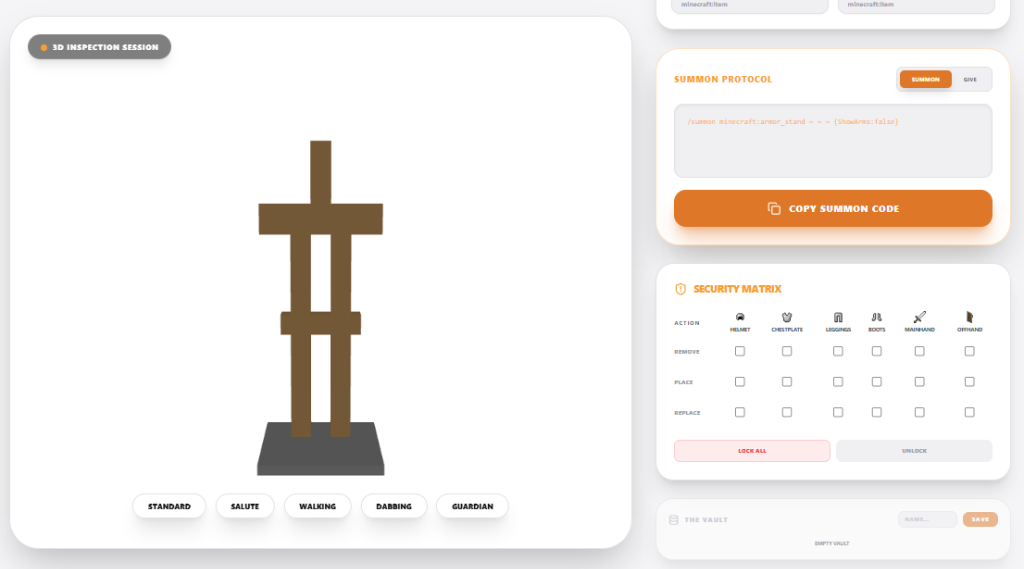
Pose an armor stand without losing control of the command
- Start with the stand at a known position and set only the body rotation.
- Adjust head, arms and legs in small increments while watching the preview.
- Add equipment after the pose is stable.
- Test visibility, gravity, invulnerability and marker settings separately.
A marker armor stand has a much smaller interaction area and may be difficult to select later. A stand with no gravity can remain suspended, while an invisible stand can still carry visible equipment. Keep a removable tag on map entities so a cleanup command can target only the stands created for the scene.
Scene maintenance
Store the summon command with the map source and use a unique scoreboard or entity tag for each scene. Test hitboxes and equipment pickup as a non-operator. If a pose must animate, use a limited function sequence rather than continuously summoning replacement stands.
